
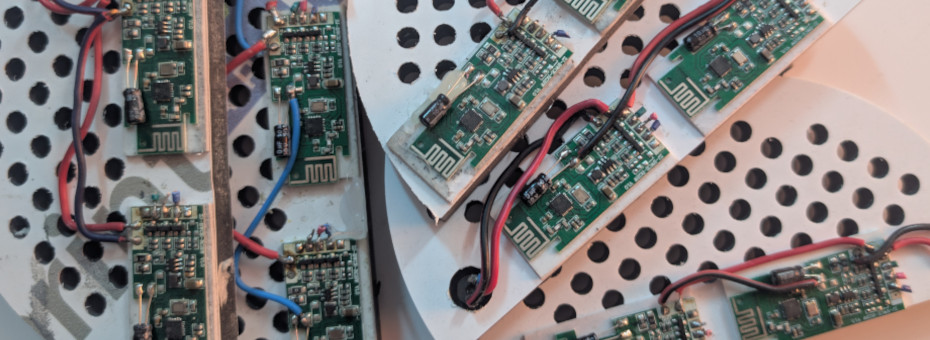
We've built our first batch of DIY lights for the house. And we have regrets.
Building anything is always filled with lessons on what you are, and what you are not supposed to do. This, of course, refers back to your DIY LED lighting project, wherein we got so fed up with purchasing lighting we just made our own. It worked.. But it was not problem-free.
Read onward for those who care:
Suppose we should start with the root problem.
FUCK THESE LED CONTROLLERS!
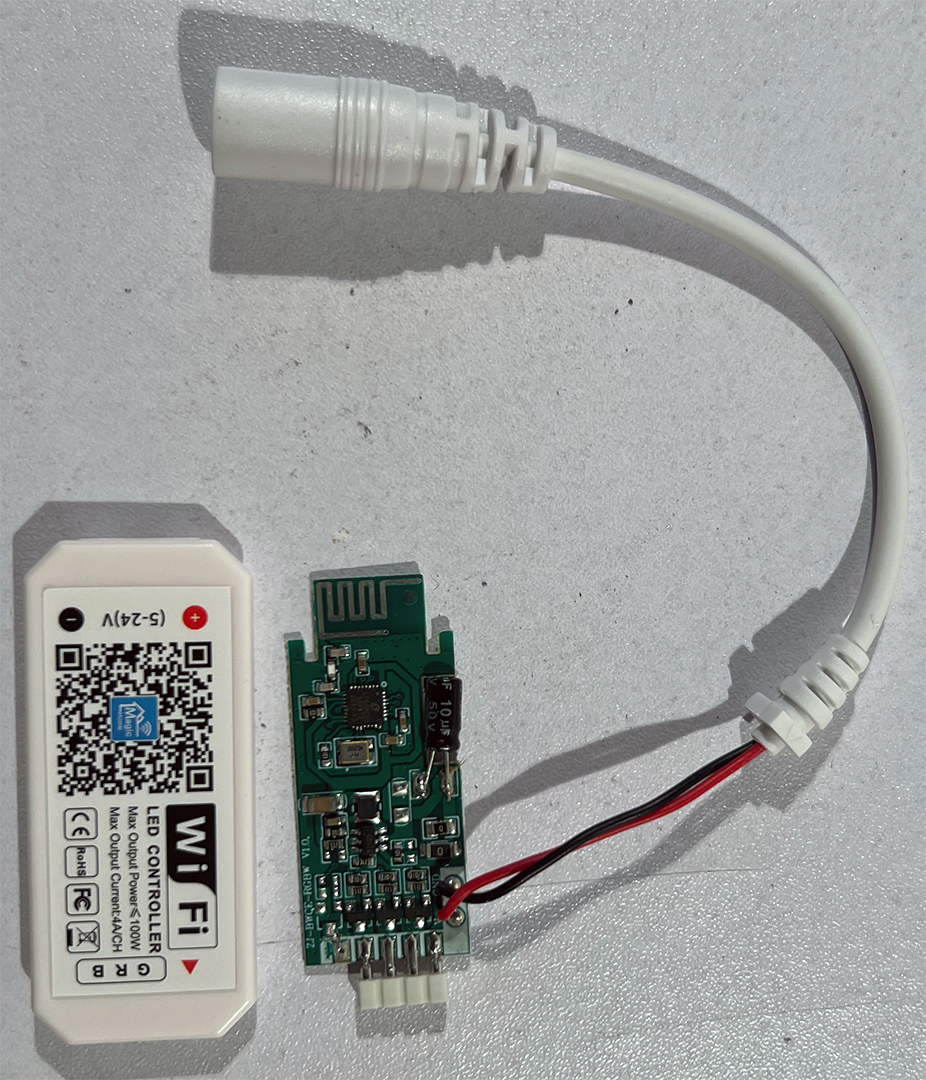
The "MagicHome" Wifi LED Controller. You can get these ultra-cheap for anywhere from $1-3 dollars.
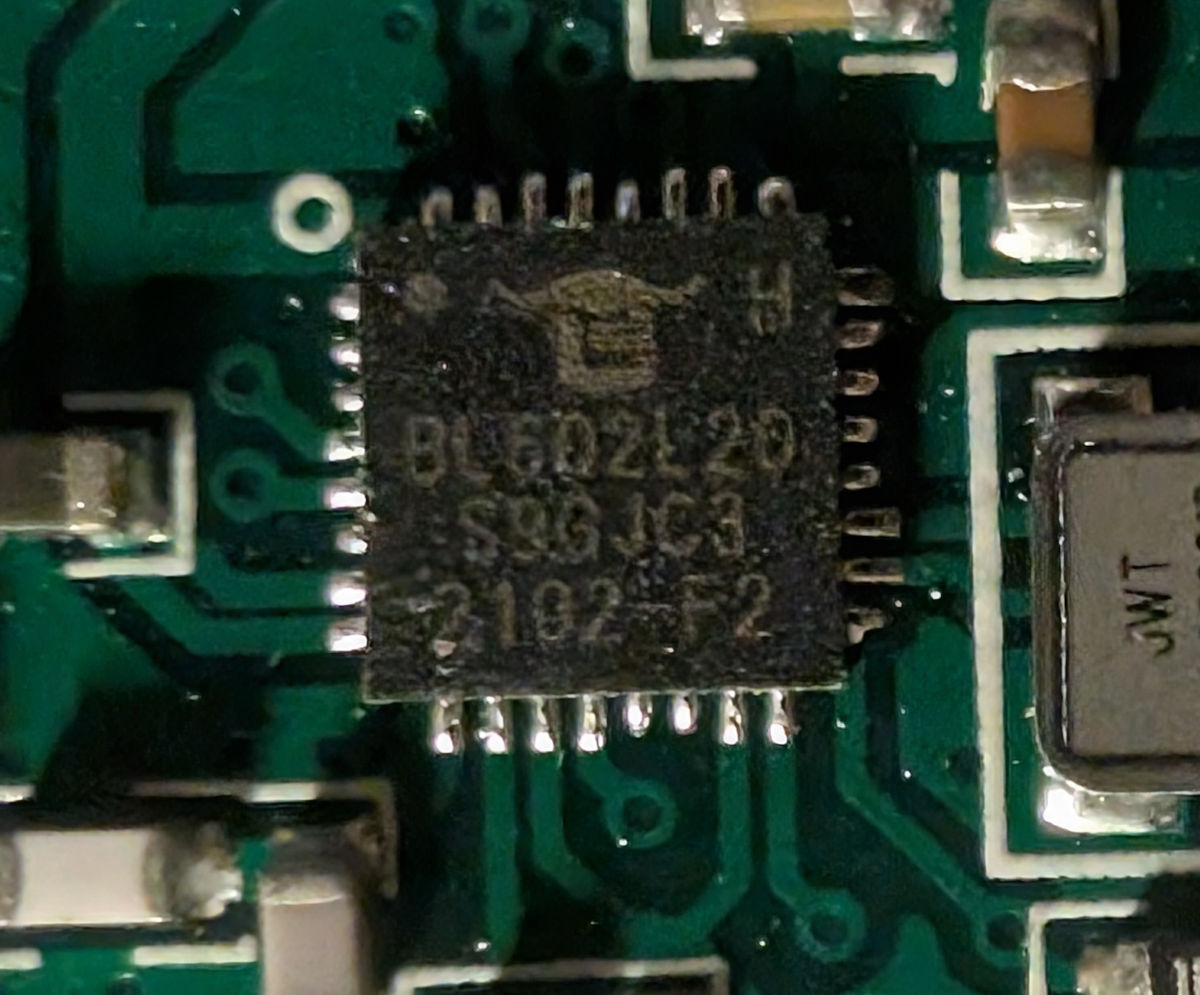
MagicHome decided to switch out the ESP8266 and ESP8265, which could be unshittified by flashing them with WLED(Clearnet). But alas, all of our lights have the BL6 chipset, which is closed source and unflashable. As we suspect, that's why many of our controllers are dropping off the network like flies. To the level where these chips simply stop listening for device pairing.
The actual MagicHome app.
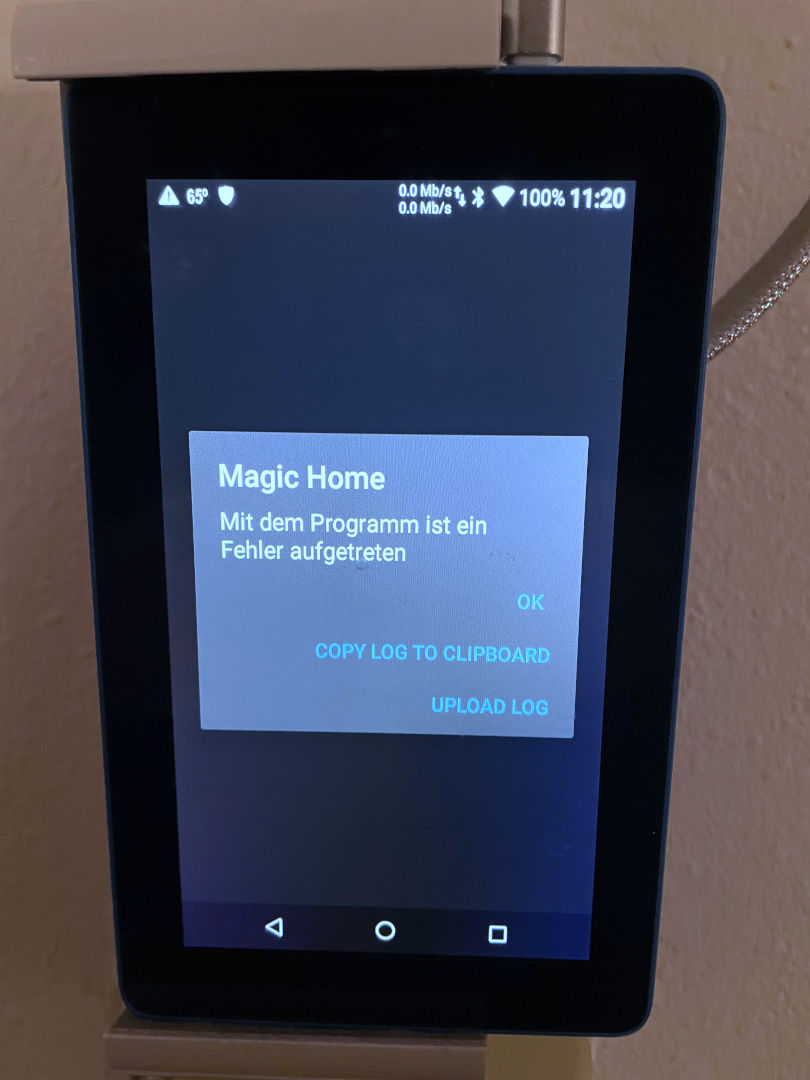
On our Amazon tablet mounted to the wall, the application will crash if the tablet ever goes into sleep mode. Because it's expecting a constant connection to the lights and (unfortunately) to the internet. And ironically, when it crashes, it switches to German for reasons beyond explanation. We hate the fact that the only application that works for the MagicHome lighting requires you to log in to a suspect cloud to simply use your lighting. On top of it all. There's absolutely nothing worse than a light switch that fucks off when you need it most.
The lights themselves.
Because my light array is a 6-channel system R-G-B-CW-WW-ICEWhite. Most controllers are configured for just 5-channel systems, as no one likes to use Ice-White as we do. We've found a hacky way around it by using these Chinese controllers times two and grouping if it's white(ish) LEDs versus color. But that hacky way introduces more points of failure.
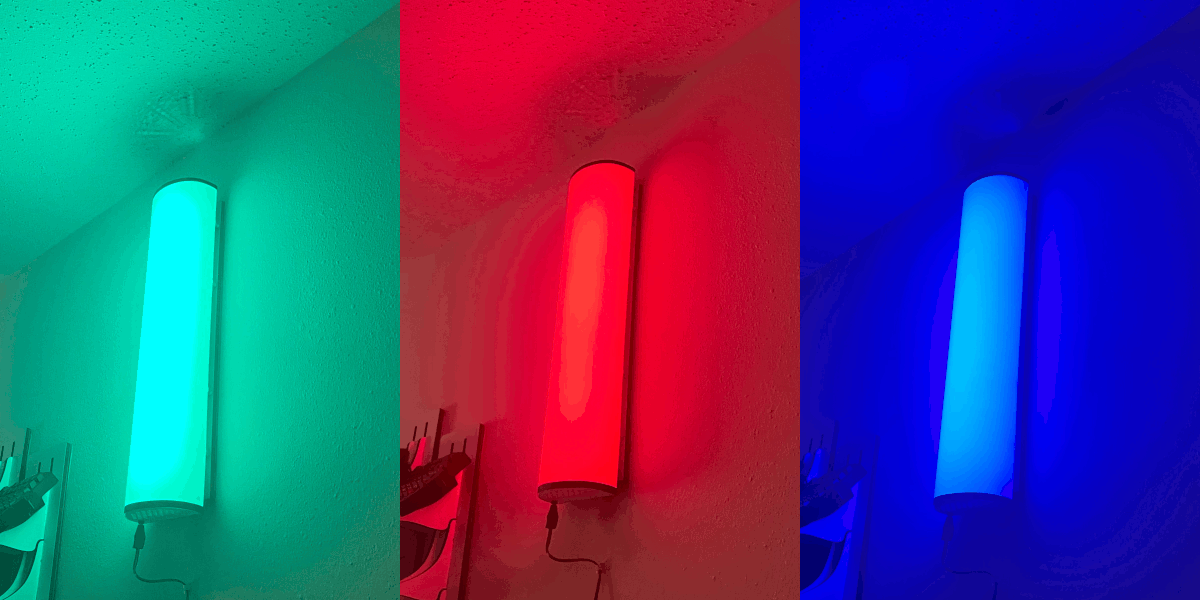
One of the points of failure with these controllers is that you can always reset them by unplugging them three times. We're sure that the people who made these things thought it was an ingenious idea to avoid placing a reset button onto their PCB, except for the fact that there's no timer between resets. If you have a smart switch for AC power and reset.. guess what? Every time you turn off the main power. That counts as a reset.
If there's lightning in your area and you don't have your controller on some sort of battery backup. It can trigger what you see on the screen above. Where you come home to all of your lighting having their own rave, disconnected from the wi-fi because it's in factory mode. We had to spend a solid hour resetting everything back to where it was, which, frankly, was getting on our nerves.
We can't trust companies with locked hardware. Or proprietary software. Or a cloud service needing you to log in just to operate your damn light switch. So what's next? Well. See what the community has to say.
WLED time.
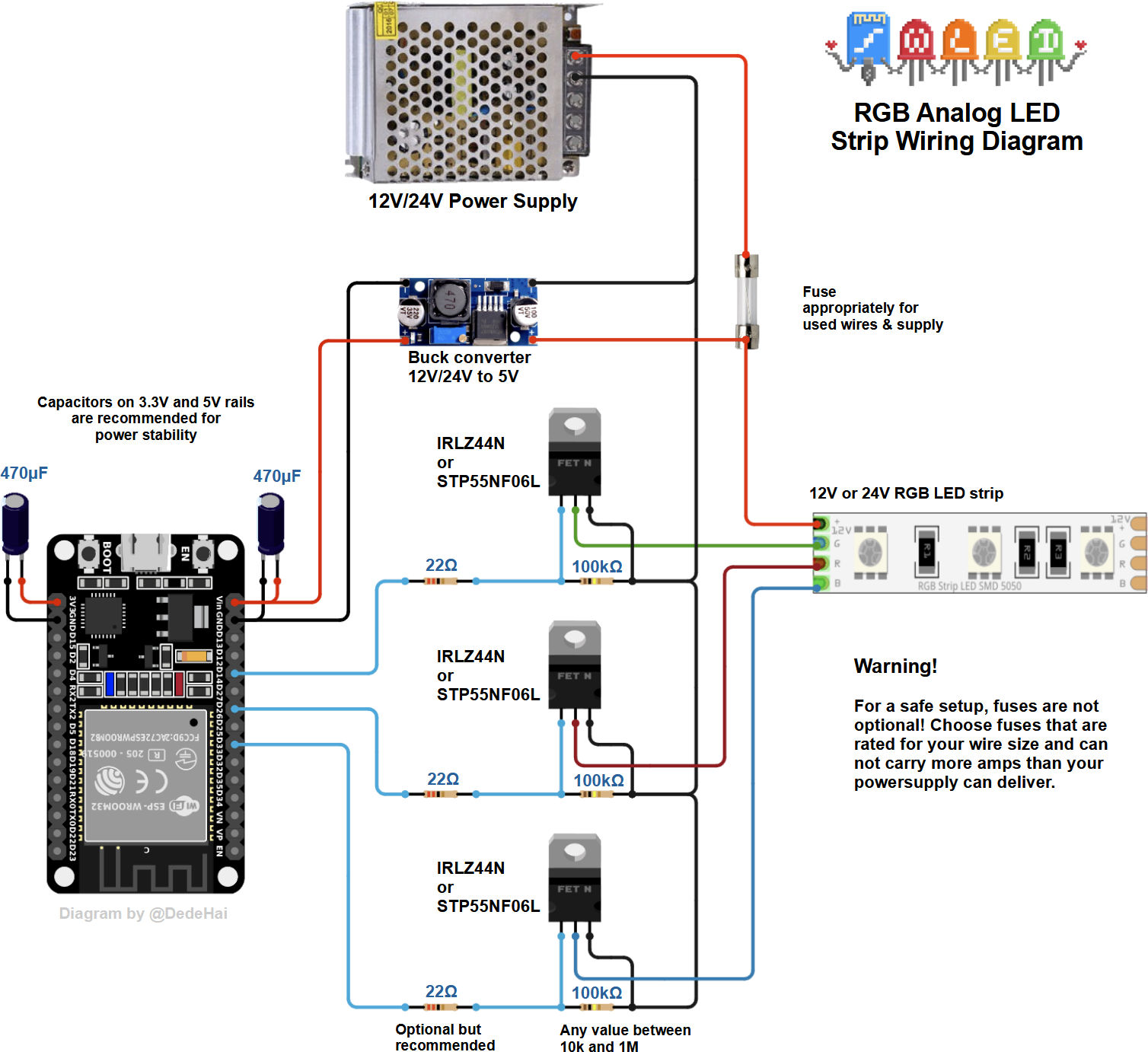 I went with the WLED project as it seemed to be exactly what we wanted. This is the ability to make a controller with six channels instead of settling for just five. The schematic above was also on their website, very clearly showing the kind of project that we wish to use. Legit FETs driving my LED strips. perfect. So, if there's any takeaway from this blog entry is to give these guys money because a lot of the hard work of firmware programming and electrical wiring is already sorted out by them.
What's up with that 47uf cap on the 3.3v rail all by itself? Well, the website doesn't tell you this. But apparently some people had issues doing OTA updates of the WLED firmware where the ESP32 would go into rolling brownouts. That capacitor stops that from happening. We didn't know this at the time, but we rolled out OTA updates from 16.0.0 to 16.0.1 and didn't experience this.. Lucked out perhaps?
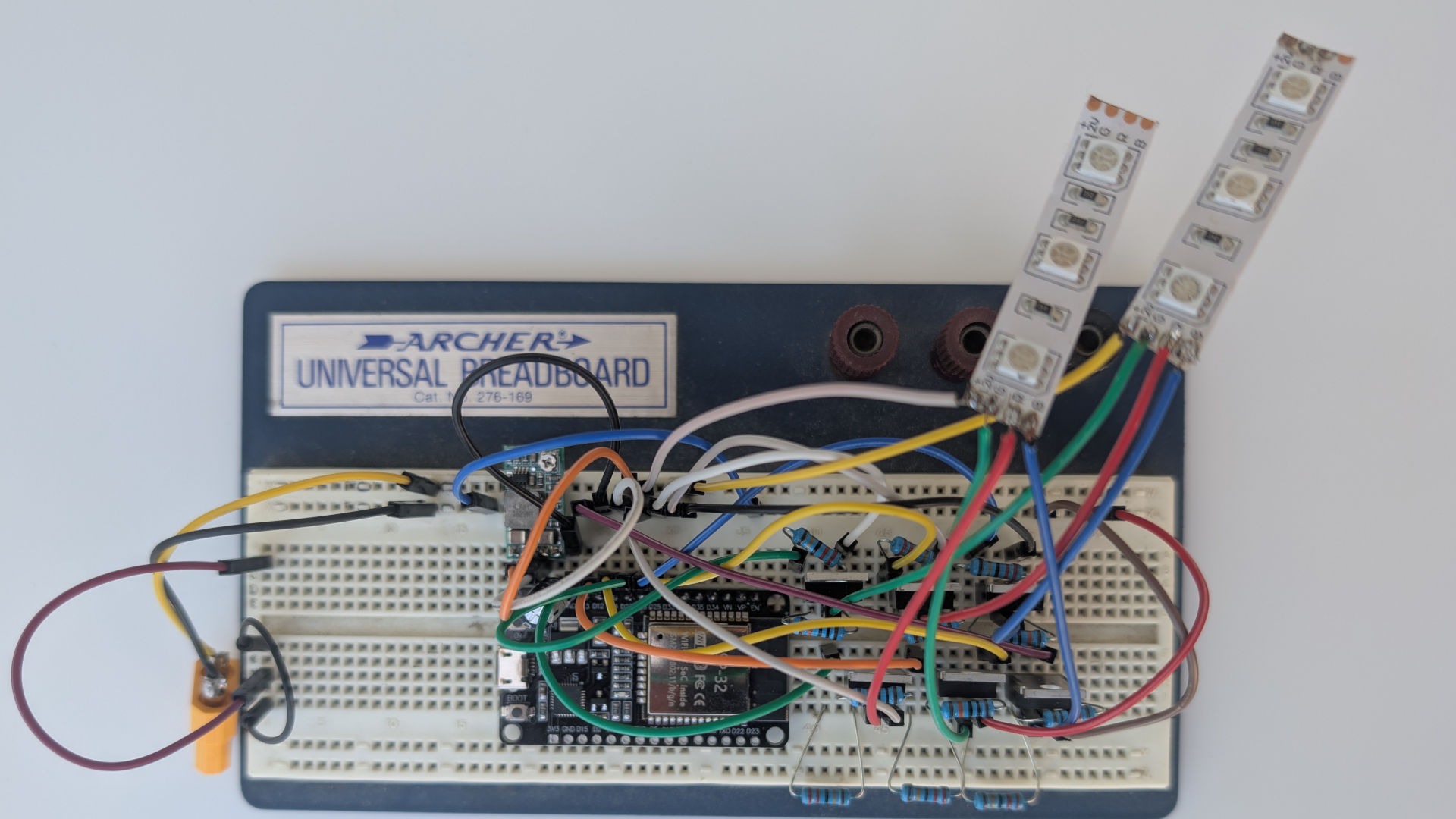 Archer breadboard... Seriously showing our age here.
It's time to get a little more serious about things. It's been a hot minute since we had to break out the breadboard. But it's important to do because there are a few parts required to drive 6 channels of standard LED strips. It works! So, now that we know it's possible to wire it up, now comes the actual doing it!
We also tried to perf-board wire this together, but with a significant ground plane, we seem to be burning out our chips during installation. Which leads to an option we thought we wouldn't have to do.
Making the PCB.
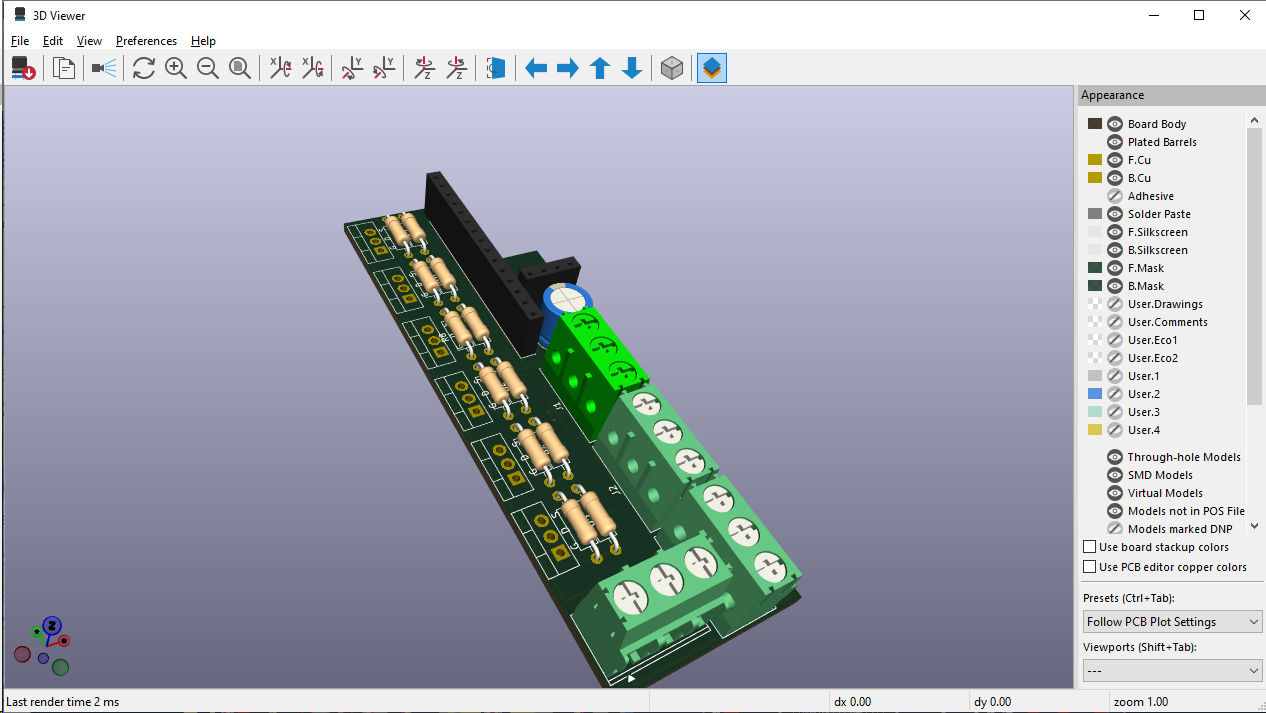
Screenshot of us using KiCAD software.
Working with any CAD engine is a lot like 3D rendering. You have to take it in baby steps or else your head will explode. With a few quick tutorials on what each of the steps was, we were able to successfully pump out what is known as a "Gerber" file that can be sent off to a PC Board making company. This step is probably the most important and one that you should save your project and come back to every couple of days, as chances are there will be errors in how you design, and it's better to fix it virtually than much later (as we later found out in this very article).
Ordering a PCB.
We should note for the record that PCBWay did reach out to us to ask about an overall write-up of how easy it is to order a DIY PCB from there. We declined them. Partially because to accept any gifts from them. We would have to give our information to a company halfway across the world. Which could potentially be used to influence the bias of the article. It's just something that we cannot do.
Even if they give us promo coupons to our personal account, that would effectively be doxing ourselves to PCBWay. Coupons can be traced upon usage to accounts at checkout. We're not saying that PCBWay is some nefarious organization that would use underhanded tactics such as denouncing a review by exposing the writer's identity to have people attack them. It's just that we live in a state of perpetual paranoia as a means of protection. If that level of paranoia is not required.
This means we will probably remain poor while making articles like this. But psychologically sane in the process (reference point required). As for the reputation of the blogger. Again, never trust a damn thing we (OR ANYONE) say. Don't be a mindless piece of shit and do your own research!
PCBWay
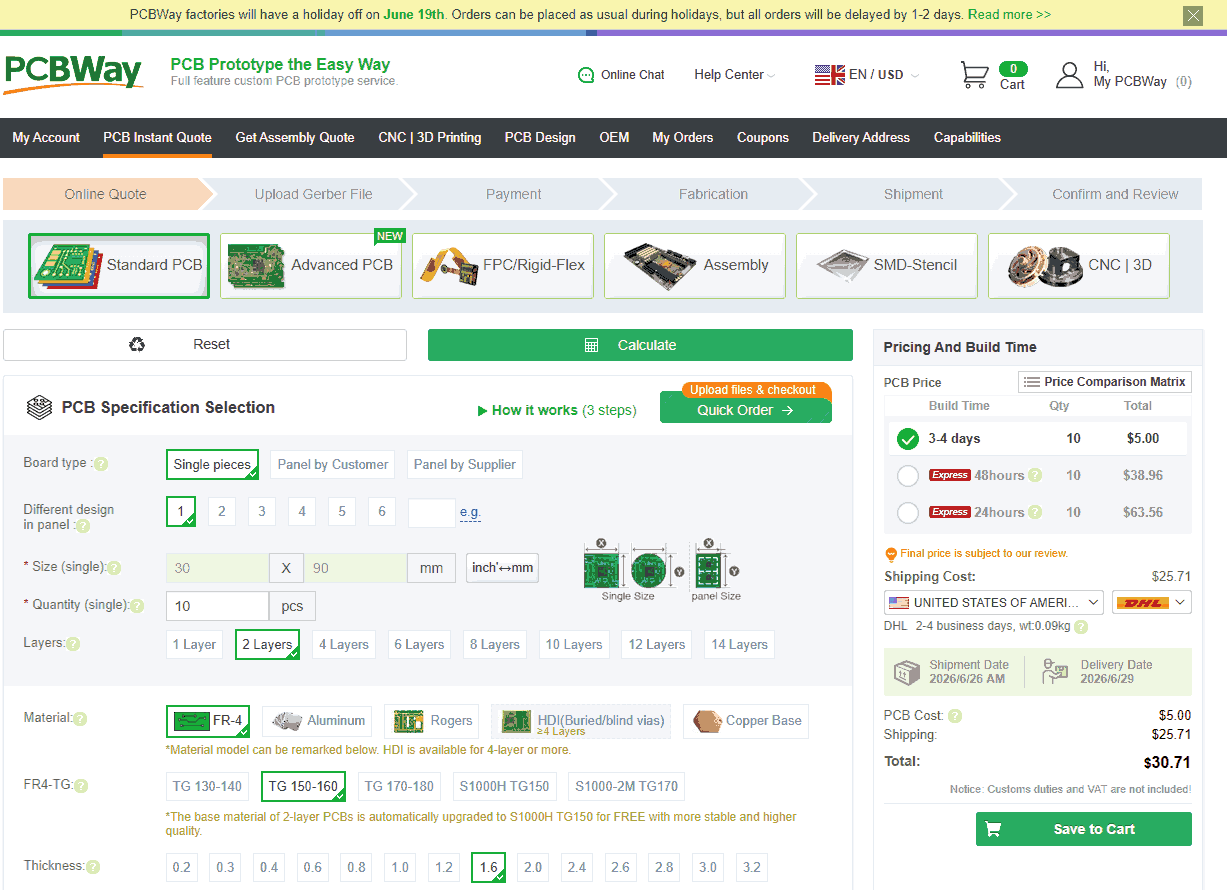
We are painfully aware of how every DIY YouTuber seems to want to beat you over the head with PCBWay. It's really annoying. But here's the gist of it all. The screen that I'm showing right now. Which is just a rough estimate quote for my ESP32 WLED switchboard. NO ONE FUCKING DOES WHAT PCBWAY DOES! They actually give you a ballpark quote. Now, it didn't calculate VAT/Tarrif and administration fees. But at least it got us in the right department when ordering a PCB.
Also, don't understand why 10 units cost $5 (USD) but 15 units suddenly jump to $20 (USD); they certainly have some bizarre pricing models on their website.
Ordering PCBWay VS USPS.
When it came to shipping, we're not fans of DHL. We understand DHL dominates the Asian market as the fastest way to ship. However, in America, DHL is terrible at package status updates and often refers customers via phone to visit their sketchy customs site to release a package.
We tried to ship via USPS, knowing it would take a while to get here. But USPS and PCBWay's ordering sites are at odds with each other when it comes to ZIP codes. USPS wants a full 9-digit ZIP code XXXXX-XXXX, whereas most other shipping services are fine with the 5-digit ZIP code. It's actually impossible to give PCBWay a full 9-digit code, even if we wanted to, because their site only follows the basic 5-digit system for American mail.
We ultimately chose their cheapest way of shipping, which was $7. Because after applying their first-time customer gift code (they give that to everyone who tries them), my order of 10 boards is effectively free. But good news. We did get it via some random shipping company named "GOFO" in two weeks. Even got text messages from them. So overall, pretty satisfied with that.
Wait times.
I would say the number one problem with ordering from PCBWay is just the fact that they are halfway around the world. If we lived in China, getting your product in a few days would be magical. But even with the best DHL service, a week is a bit much. On top of that, for short orders, the person who is really making money on this deal is the shipping companies and, in some cases, the federal governments themselves. Not PCBWay.
It would be a bold ask of any company. But having a PCBWay in the Americas and the EU to lessen the impact of shipping time would certainly be the way to go. However, to maintain standards on a global scale is a daunting task, to say the least.
Resistance.
Originally, we weren't even going to use PCBWay. Wanted to try an American PCB maker. There are a few out there. Just one problem.
Every site I've visited has ended in a dead end or disaster.
A short list of American PCB Manufacturers.
I went through a list of other places that claim to manufacture PCBs for people. And will exclude the misleading ones (I.E., get listed on PCB lists but are actually data centers, etc.) Also, most of these links will be clear-net based; for those with Tor or I2P, proceed with caution.
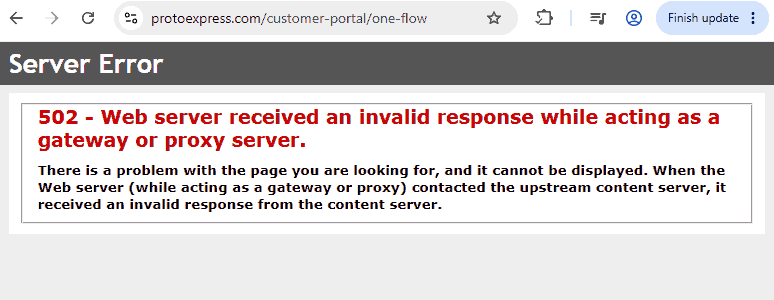
- ProtoExpress seems to be the one that a lot of the PCB people in the States like to recommend. Unfortunately, when we went through their online quoting system and submitted our gerber.zip files. 502 error.
- Absolute Electronics - Doesn't appear to have anything to do with ordering individual PCBs. Just fully assembled. No online ordering or fast quoting.
- FCC Electronics - Website dead, with last Facebook post back in 2019
- PrecisionPCB - Call to get a quote. Nothing for online quoting of a bare PCB.
- AlphaPCBDesigns - These guys seem like more the kind of people you call when you WANT a PCB designed. Not really a manufacturer. We've already done my KiCad work. Don't need them.
- FastPCB - Claims to be based out of Chicago, according to Google, but you can tell right away the site is Chinese. Their interface appears to be stolen from PCBWay, and there are periodic mentions of Hong Kong with a 5-day turnaround on PCB manufacturing, which seems awfully high. Upon going through their system, they stated each board will cost $5, which is a bit high, but you know, better than paying for tariffs. Shipping is to be determined by logging into your account, in which places everything into a 'subject to audit' state. Sorry, but if you can't give the total price of an online order right away. Then we're not even sure you actually exist in Chicago.
- Jabil - Another company that is aimed more towards larger customers that need completed units. Not just PCBs. No special way of online ordering.
- Creation Technologies - Again, another closed-off industrial firm aimed at larger customers. Not sure how these companies end up on the PCB Manufacturing lists if they don't want to take on new customers.
- AdvancedPCB - West Coast company. The quote system is walled off with a login requiring an email just to get a quote. But at least they give general quoting near the bottom of the page, which, per unit price-wise, is the equivalent of just paying for PCBWay's next-day turnaround, as it reaches almost $100 for one unit. Again, the vibe of this site is that they want to deal with companies. Not really, people.
- Somacis - Holy fuck does their corporate speak make me want to vomit. Showing pictures of aircraft(because every PCB company in America has this weird hard-on for defense and aviation because WAR... WAR NEVER CHANGES) while at the same time saying how environmentally friendly you are really is a mindfuck of a message you got there. It's basically an Italian Company that purchased Hallmark Electronics just to have a foot in American defense contracts, and that's it.
- Calumet Electronics - Right off the bat, DoD PCB supplier, which means "don't talk to us if you just need 10 PCBs, you pleb". No barrier to entry to get a quote or anything. We question even the reason to have a website like this when your #1 customer doesn't even believe in the internet. We know it's for other industries like medical, blah blah blah. We just got done vomiting from Somacis. Don't make this into round 2, Calumet.
- AllFlexInc - H'Okay! This site would be great if I were working on a cell phone that has a lot of movable plastics, where a flexible circuit board would be the cool thing. But cool points are lost as there's no way to get a fast quote on a flexible PCB. But then again, PCBWay does flexible PCBs too. Making the path of least resistance for DIYers to just go halfway around the world.
- Epec LLC - Okay, this site is reasonably cool because they've been in the business for a while. Offering webinars and PDFs. But something tells me these guys are REALLY old school and probably don't believe in KiCad. The quote system is login-walled off.
So, even though my circuit board is just a dumb wireless light switch that has 6 channels instead of 5. There's no way we could get it made in the States.
A ton of American PCB companies either do not cater/do not care for individual orders. Which means we, as individuals, are forced to go out of the country. Think about that the next time your grandparents tell you to 'buy American,' or whatever country/prefecture you are in.
Honorable mentions:
JCLPCB - even though not American either. They seems to be popping up more within the electrical engineering scene and might give those guys a try on our next project. As we're never believers in letting one company do everything.
Help us. Or better, help everyone else from looking.
If you know of an American PCB manufacturer that at least has a working front-end on their website where we can get quotes. We're not expecting some American company to embrace the StickerMule / PCBWay mentality of giving away the first 10 PCBs just to get sales on future projects. But we'd settle for a place that gives an up-front quote BEFORE you even log in. Because we'd like to try out other PCB companies.
Leave them in the comments below. Please tell me that the PCB-making industry isn't so completely fucked that only one company gets it and makes an online ordering system that works. Because that makes us feel a whole lot better about how the industry is working right now.
To those PCB companies we mentioned and potentially insulted. Perhaps one of your friends or co-businesses actually does exactly what PCBWay does in America, and this is why you ignore the DIY sector. Fine, tell us who it is! But you can't be throwing around the concept of "HUR-DE-HUR BUY AMERICAN! OUR GOD AND CHIEF SAYS SO!" and then lock out a large group of people that just want the raw PCB and will assemble from there. Because even if we hate the waiting game. We WILL find a way without you! Thankfully, there are companies like PCBWay that actually are reaching out to lowly bloggers and DIYers such as ourselves. If they're the only company IN THE WORLD that is doing this, then of course they're going to get mine and many other people's business in the process.
Again, PCBWay didn't pay me. We didn't even take any of their discount codes, as they could be used as a means to track us.
Enough PCBWay shilling, this is sounding like a YouTuber ad break. Back to the lights.
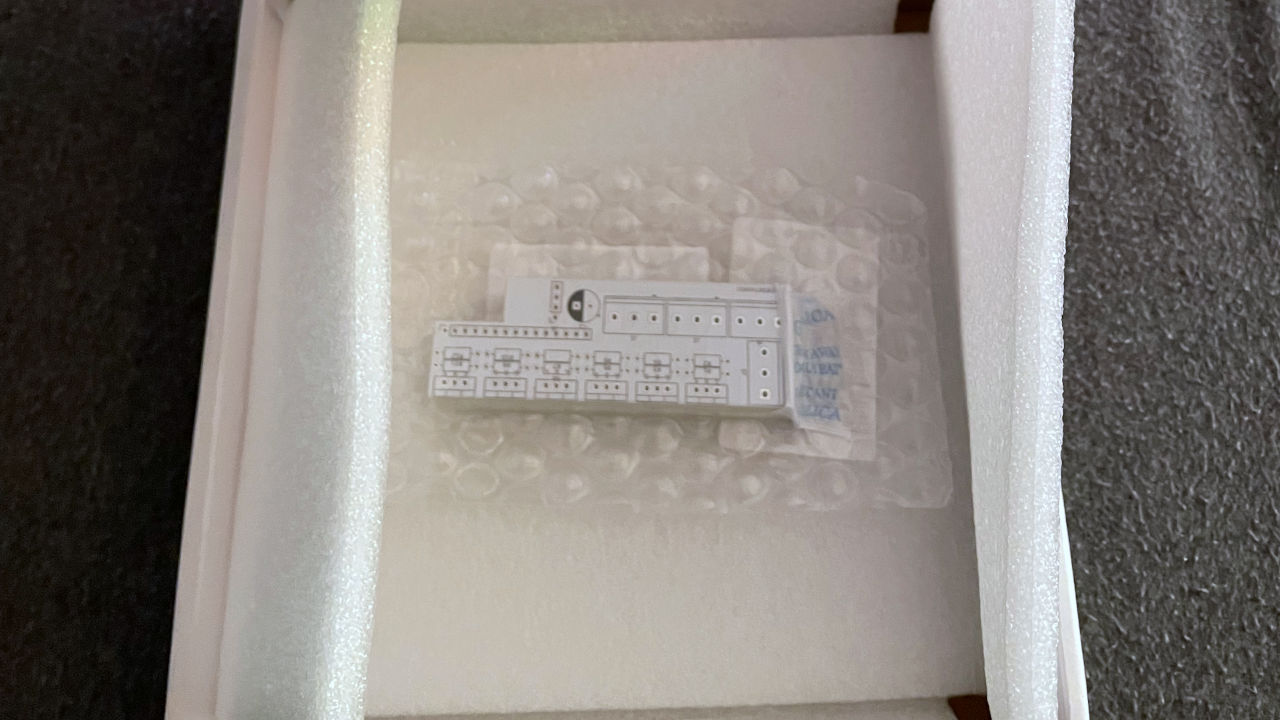
For those electrical engineers who do this on the daily, you guys would probably be like
"UGGGH! N00B!"
But we would like to say that as a total newbie, there's something emotional about getting your first PCB board designed. This is something that took a bit of time learning KiCad, and now it's finally in the really real world!
Bare board errors.
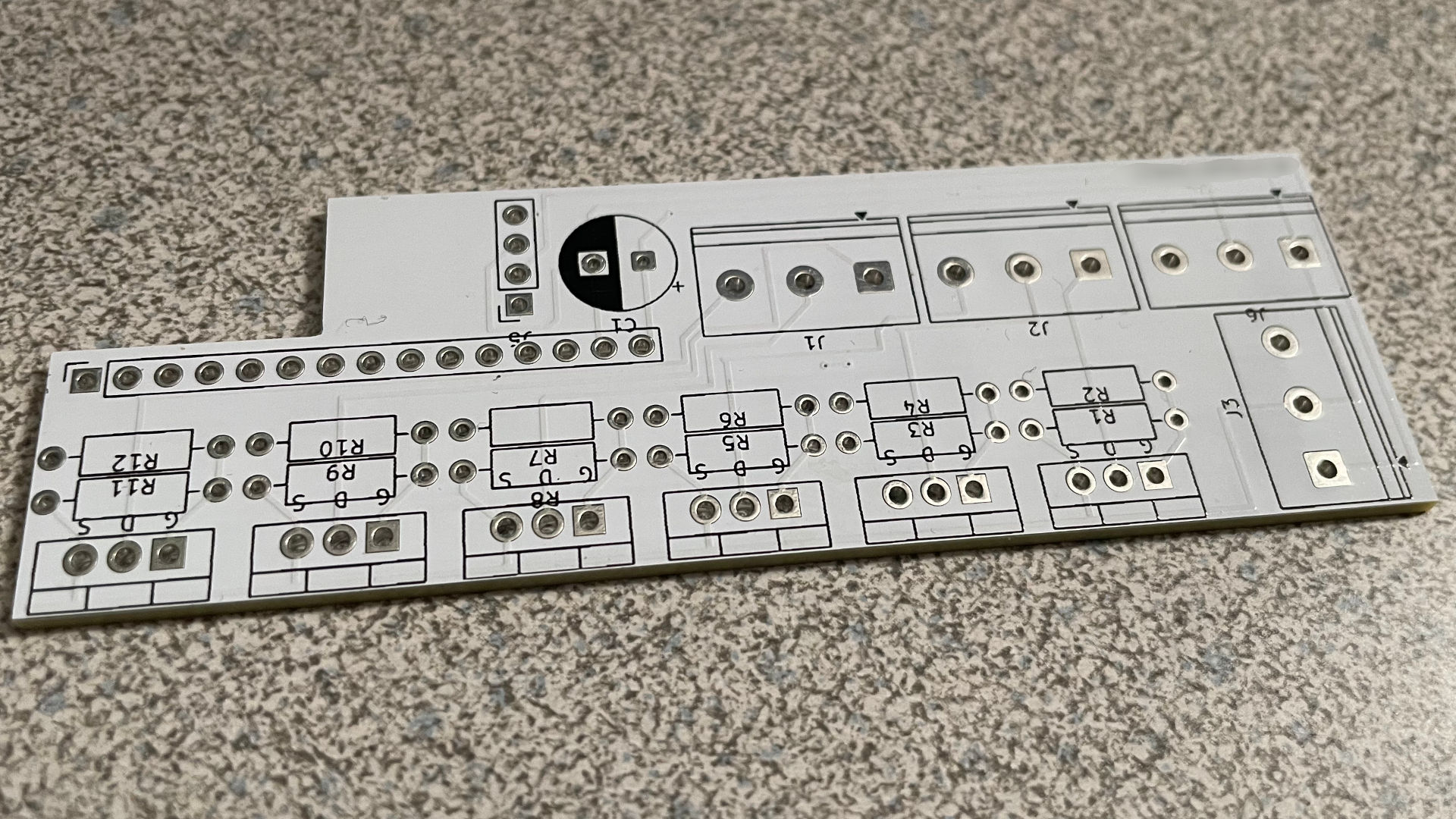 Serial numbers are blurred to protect the guilty.
Now, we think there is a teachable moment about making PCB here. The primary piece of advice we'd give to first-time designers is this.
- Try not to get drunk while learning a new CAD software.
- If you DO have to drink to learn a new CAD software. Don't submit your final design immediately! Sleep on it, look at the circuit again. Maybe do this three days in a row before you finally hit that submission button
Let's go through what went wrong here, using the picture above as a reference.
- R7 & R8 silkscreen on the PCB. The hell? Yeah, we must have messed with this layer in KiCad. Doesn't affect anything. Sadly, we couldn't replace all of the PCB Symbols with Zaglo.
- J1 Trace swapping between pin 1 and pin 2 - Makes no sense. But easily corrected.
- 5th column around R3 & R4, there's absolutely no ground trace. This was totally our fault and possibly one of the most glaring errors in making this PCB. But it is fixable, as we'll show you later.
Assembling the board.
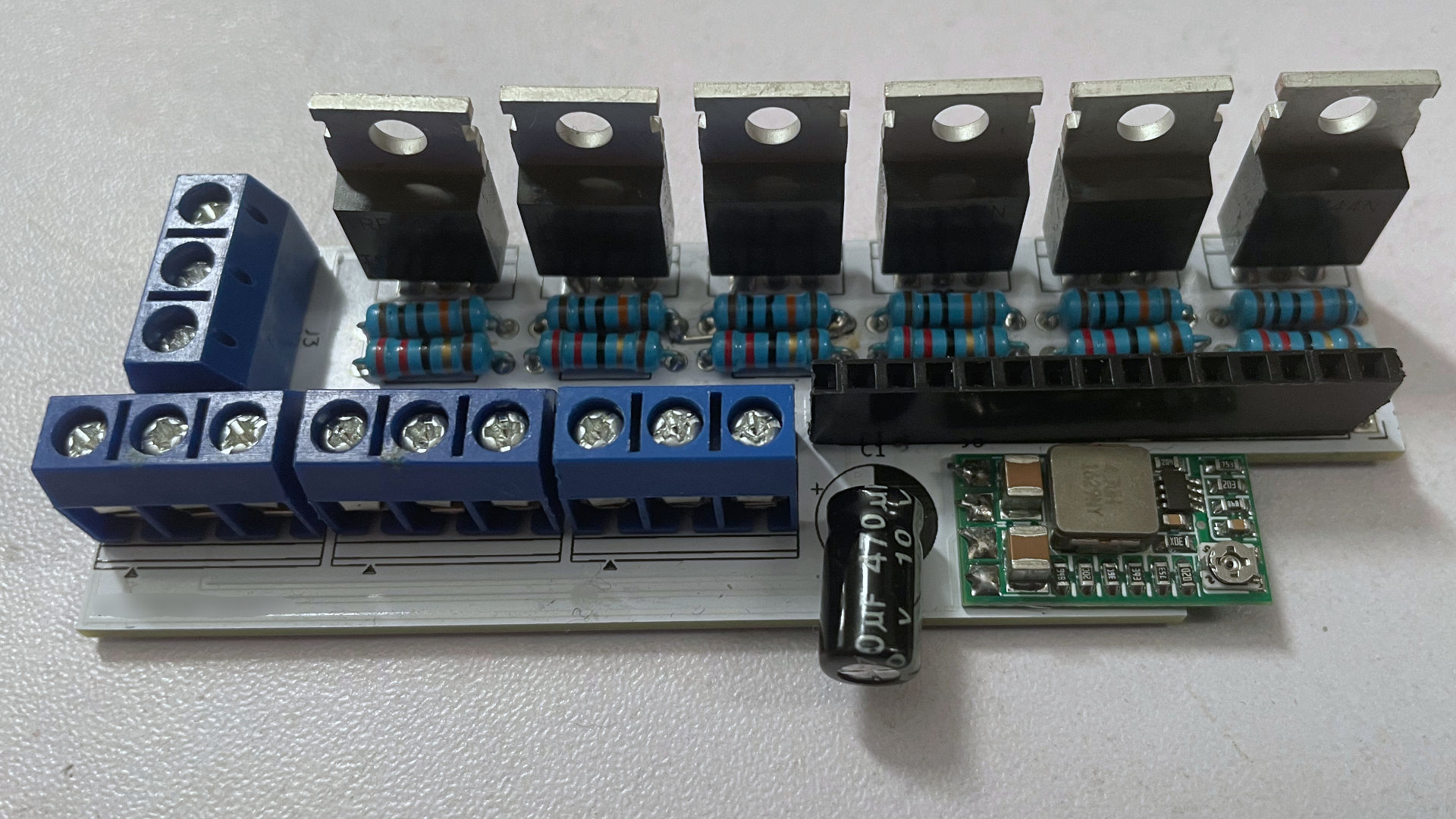
As we are a bit old school with our PCB layout using through-hole circuits, soldering was a breeze (Thanks again to our PINEcil). The DC-DC circuit we got from Amazon was just soldered on with extra wire from our resistors. Since we moved the capacitor to the side and the DC-DC circuit is lower than our socket, we can easily install our ESP-32 using just one side for all of the I/O of our lighting.
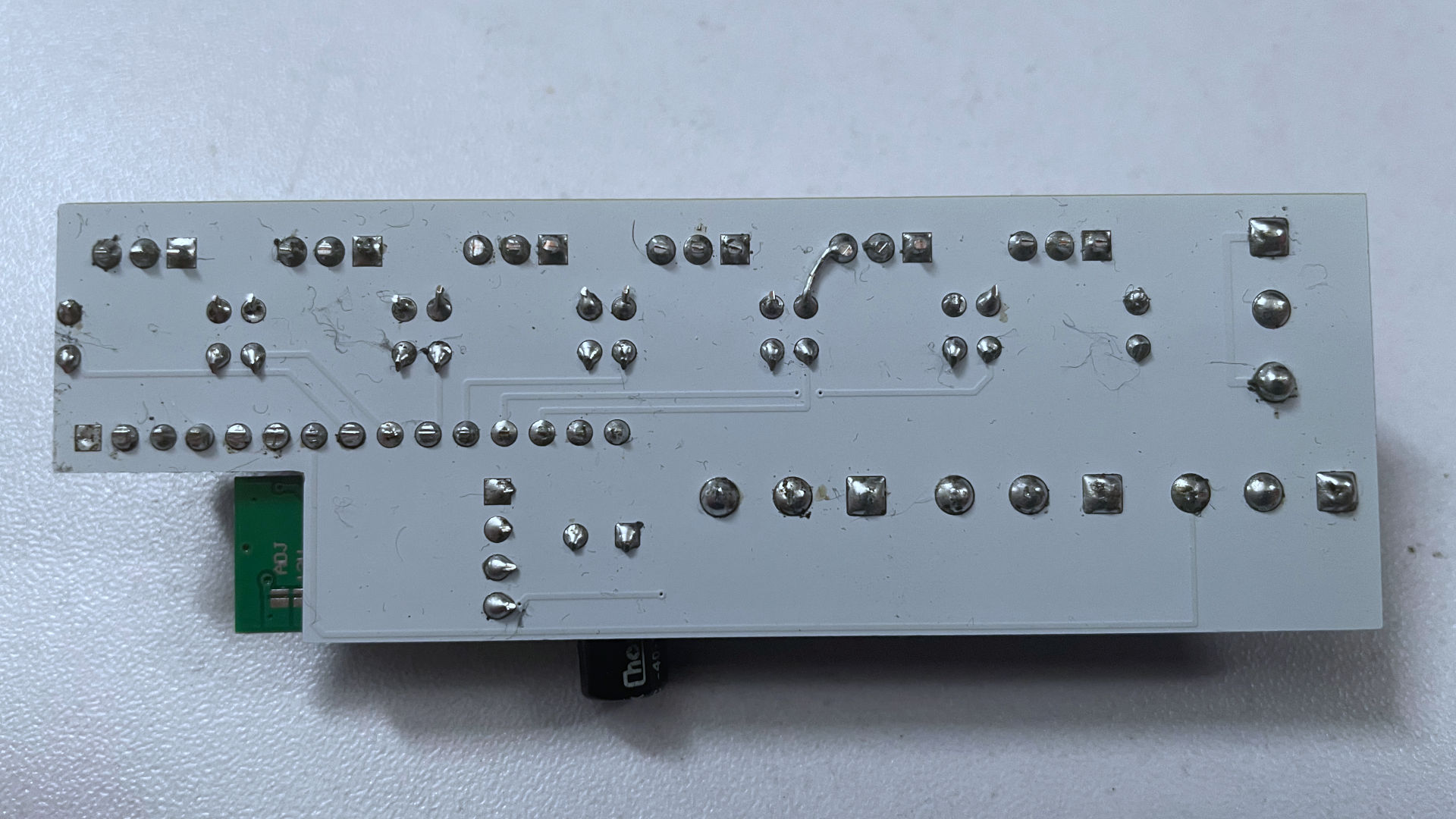
On the back of the PCB, you see us correcting the error of R3 & R4 not being grounded by simply extending the wire from the resistor into the FET above. Then we clipped all of the wires from the back as close as possible. We'll be using some 3m VHB to bind this board to the back of the PVC casing.
Zebra printer label fun.
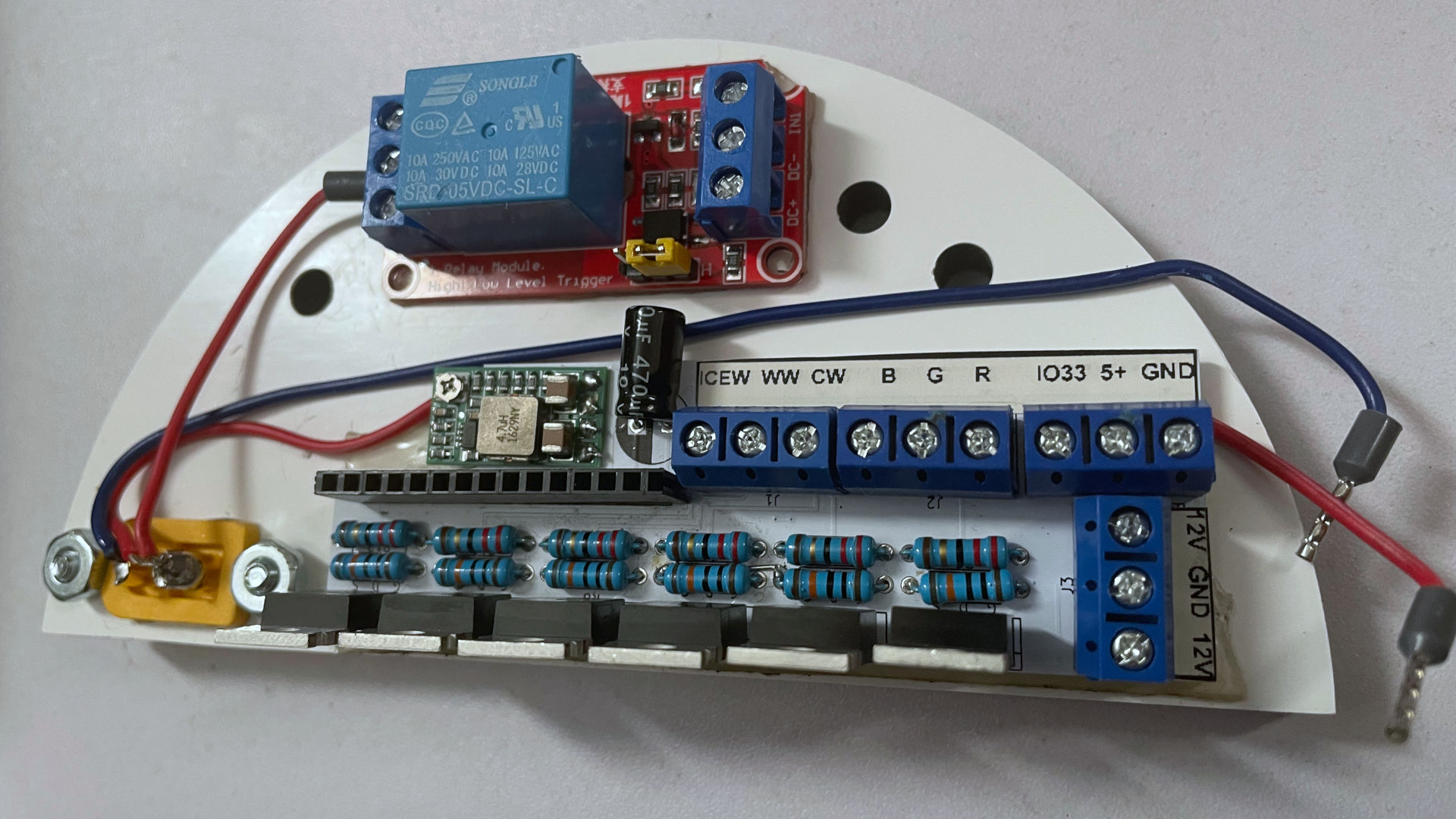
Because we didn't even tell PCBWay what the hell was going on with the board. Well! We can fix that problem with some good ole' labels. All of this was with the help of our Zebra label printer. Since it's using thermal transfer and not direct transfer, we don't have to worry about the label fading with heat. Perhaps in the future we'll get this printed onto the circuit board the first time instead of coming back later with a thermal label. But for now. This is fine, as it also hides the serial number the manufacturer put onto the board.
During the assembly process. We VHB-taped the PC-Boards to the inside of our lighting assembly, and we also decided it would be a good time to label what those Female Ferrule plugs actually meant.
We got our 6-channel lighting setup:
- ICEW - Ice Blue (Blue Wire)
- WW - Warm White (Red Wire)
- CW - Cold White (we would consider this Neutral White, but whatever) (Green Wire)
- B - Blue
- G - Green
- R - Red
So despite us doing a trace dance earlier with J1. No problem, we'll just label that channel accordingly.
We got our relay:
- IO33 (pin33 of the ESP32 going to Relay)
- 5+ VDC coming off of the DC-DC circuit
- Ground
And finally, the input voltage.
- 12VDC rail
- Ground
- 12VDC rail
Two 12VDCs are mentioned because originally we were going to set this up as a pass-through. With the relay added it didn't make sense to do it that way.
Fit test.
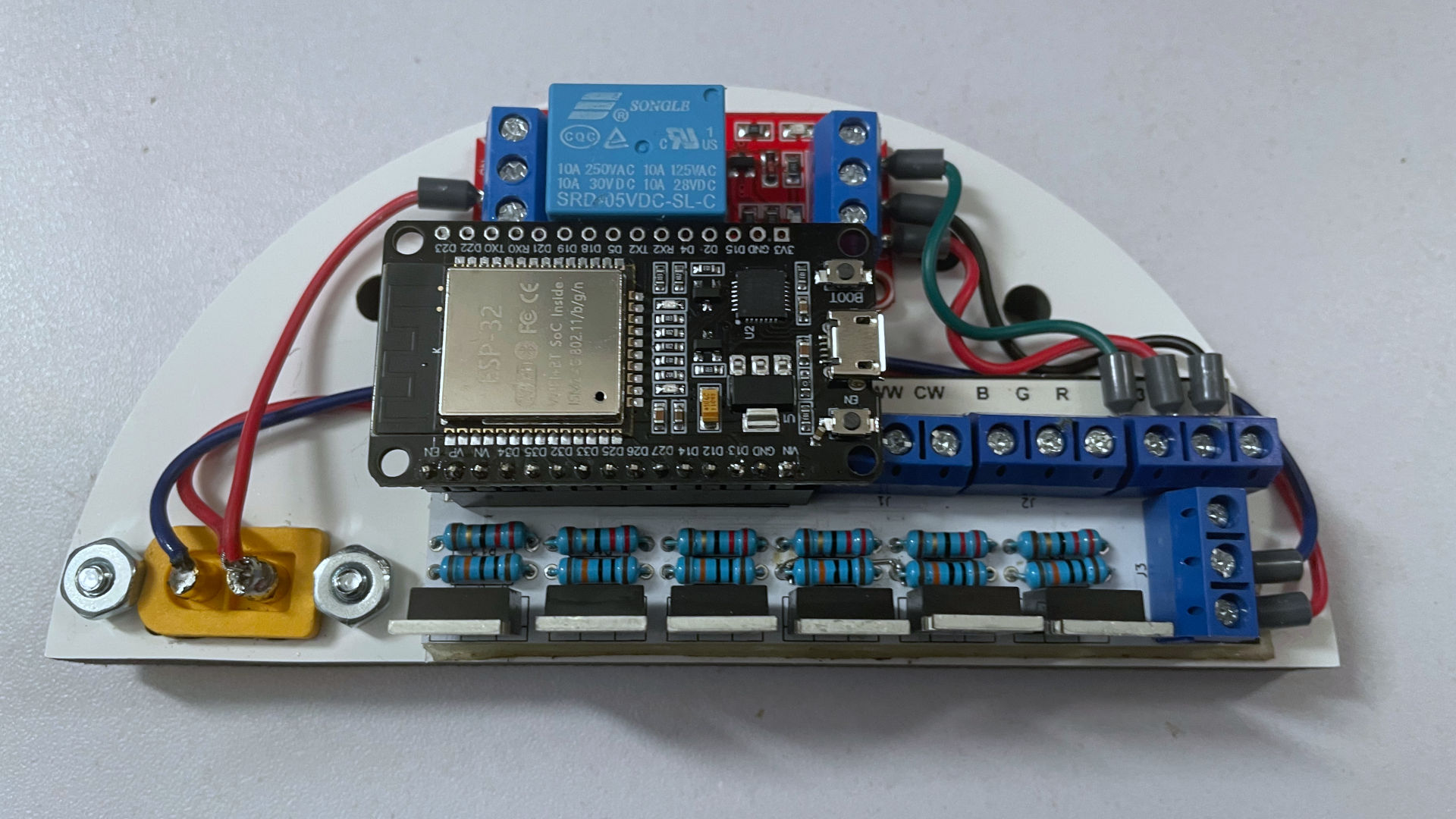
During the fit test, you can see what we were going for with having a multi-level setup where the ESP32 sits on top of it all. We probably could've engineered the board a little better, pushing the socket more to the left so all ferrule connectors are accessible with the ESP32 mounted. But once those Ferrule connectors are installed, they're not going anywhere.
Yes, I was able to get 6 channels + 1 IO for the relay using only one side of the ESP32 with WLED. The digital 14 pin is user-modified to a touch sensor, but that can be disabled easily.
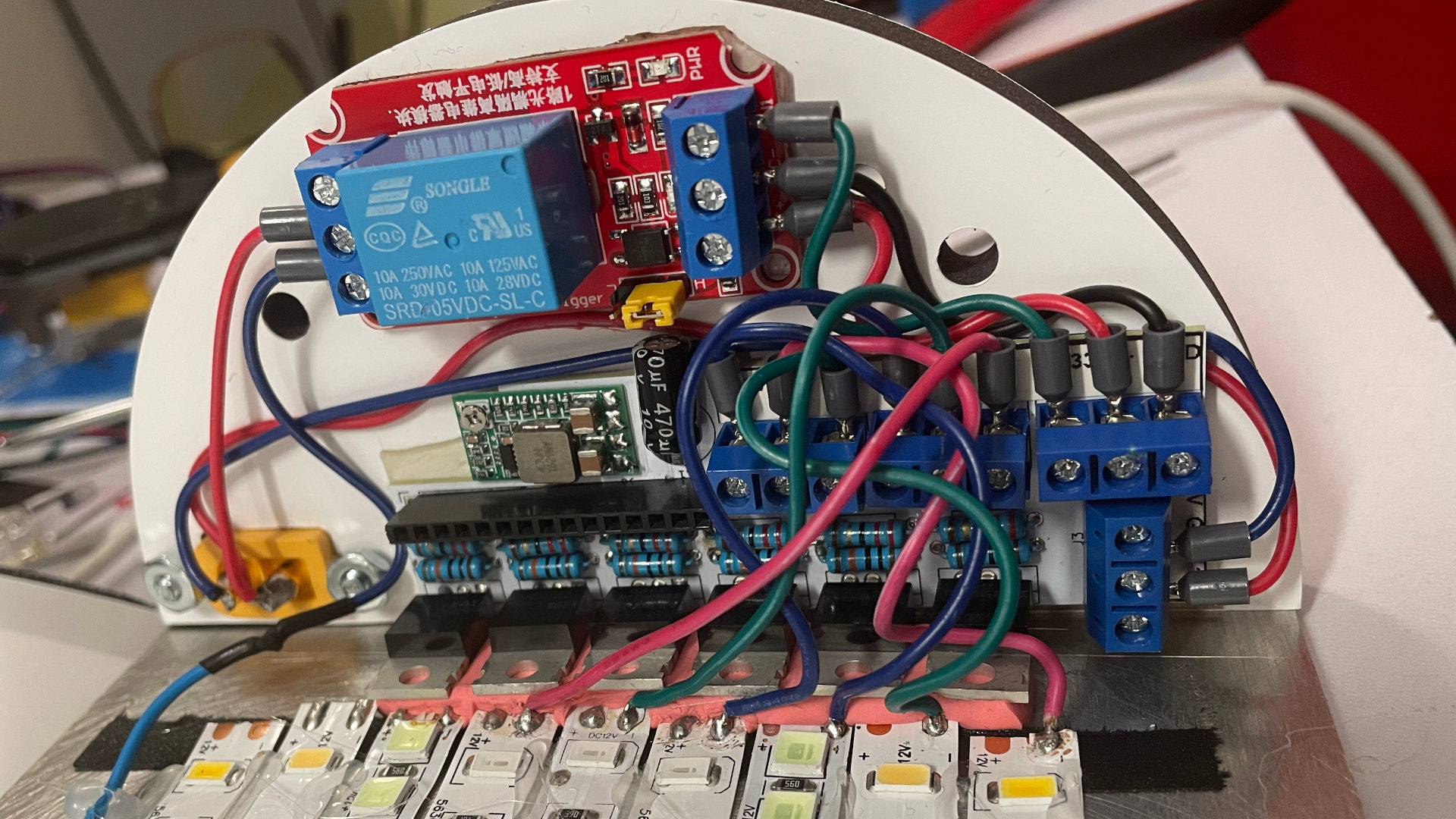 The real estate is getting a little tight inside my lighting. But it all fits. We are super happy to purchase a Ferrule crimper to handle the wiring situation throughout the entire project. Despite all the wires flying around, at least we know the connections will be solid with ferrules.
Another addition we made after making our PCB board is adding a 5vdc relay to the +12-volt line coming in . This is to prevent vampiric loss of consumption when the LED array is at 0. We are aware that the best way of handling this would be to bring a separate 5 VDC power supply to drive the ESP32s. However, we also purchased a smart switch for our 400watt LED power supply. This way, when we go away on vacation, we turn off the power supply at its source. And upon returning home, I can flip it back on and not have to worry about the disco hells of those cheap-assed controllers.
In version 3 of this PCB, we should just incorporate the relay while removing the LEDs of the relay PCB, as they are a little obnoxious to see within our light system.
Other mods.
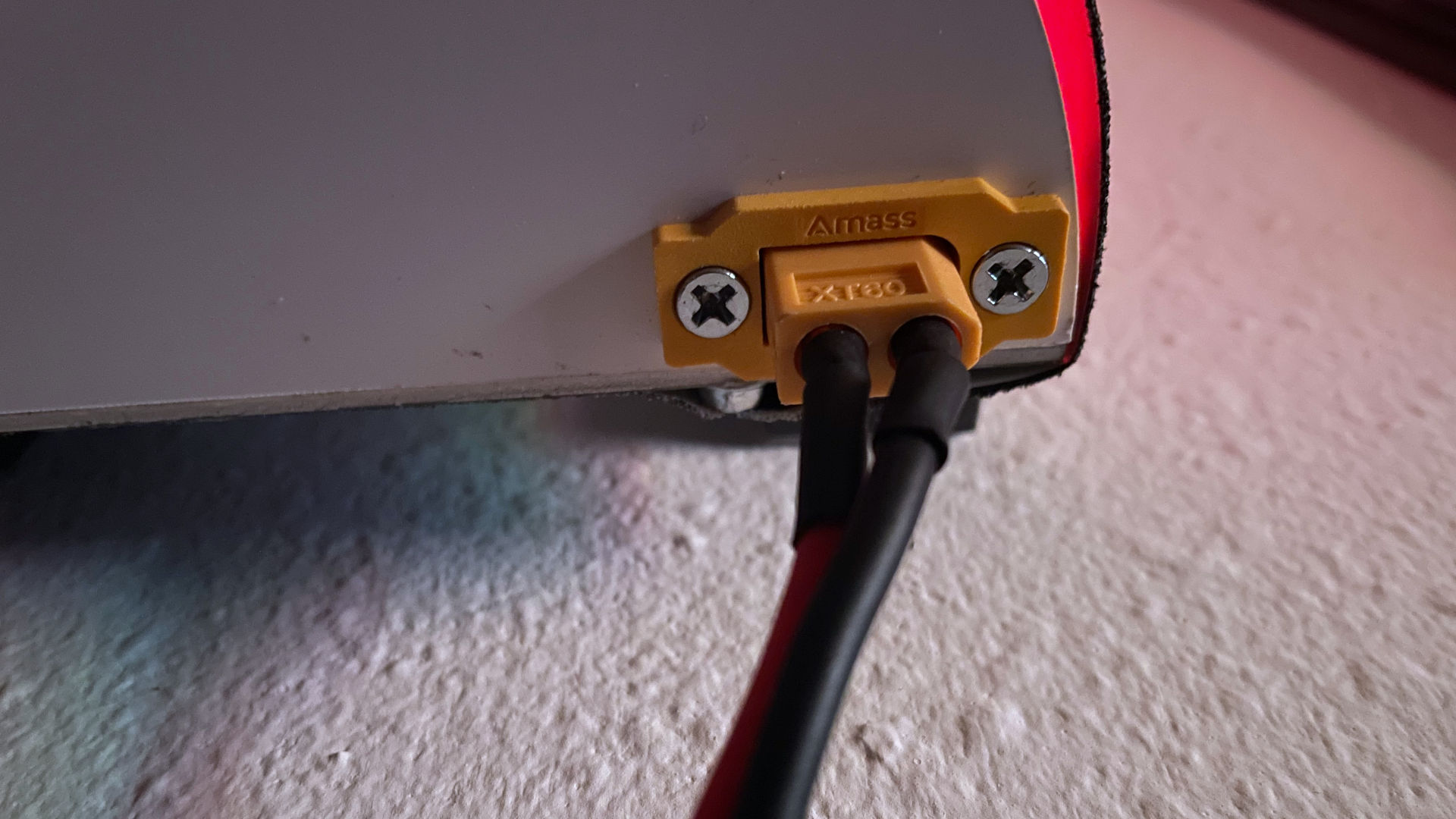
We removed the barrel plugs from our lighting systems because the ratings on those plugs were ultra-sketchy, saying that they can go up to 5 amps, but even at 4 amps, we were able to feel warmth coming off of the connector, which means it's generating resistance, which is bullshit. I don't want fires anywhere in my system.
Switched over to XT-60 connectors, which are used for lithium battery charging, but which might be a little excessive as these connectors handle up to 60 amps of power. But guess what? No heat! Also, I can inline a 5amp car fuse for each of my lights without any issue with these connectors.
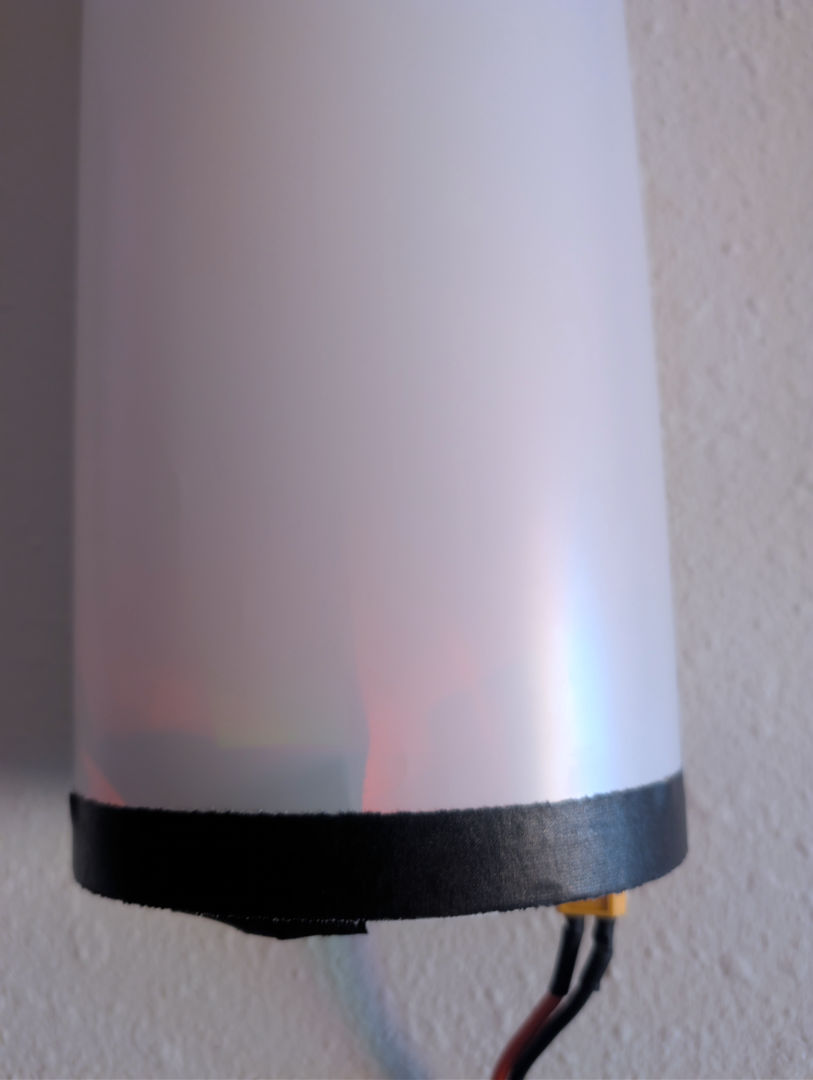
Another thing we were noticing is that all of those surface-mount LEDs, both the ESP32 as well as the relay boards, really show through the lighting system. Also, near the bottom we added another layer of gaffer's tape to add half an inch more to the bottom of our light since our electronics are a little tall versus those cheap Chinese controllers.
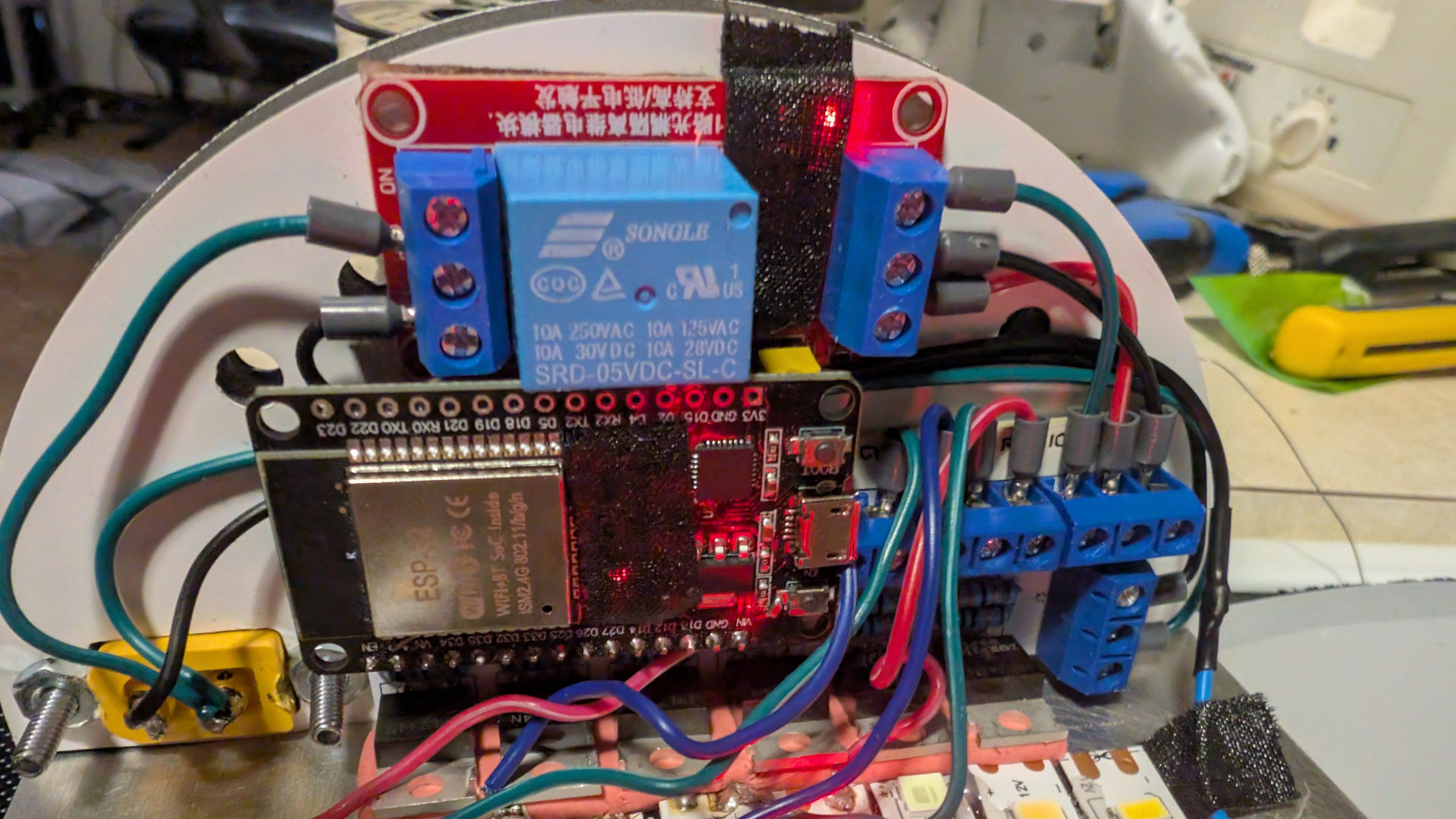
Covering them with some gaffer's tape seems to help. Had to use two layers to totally block out the light.
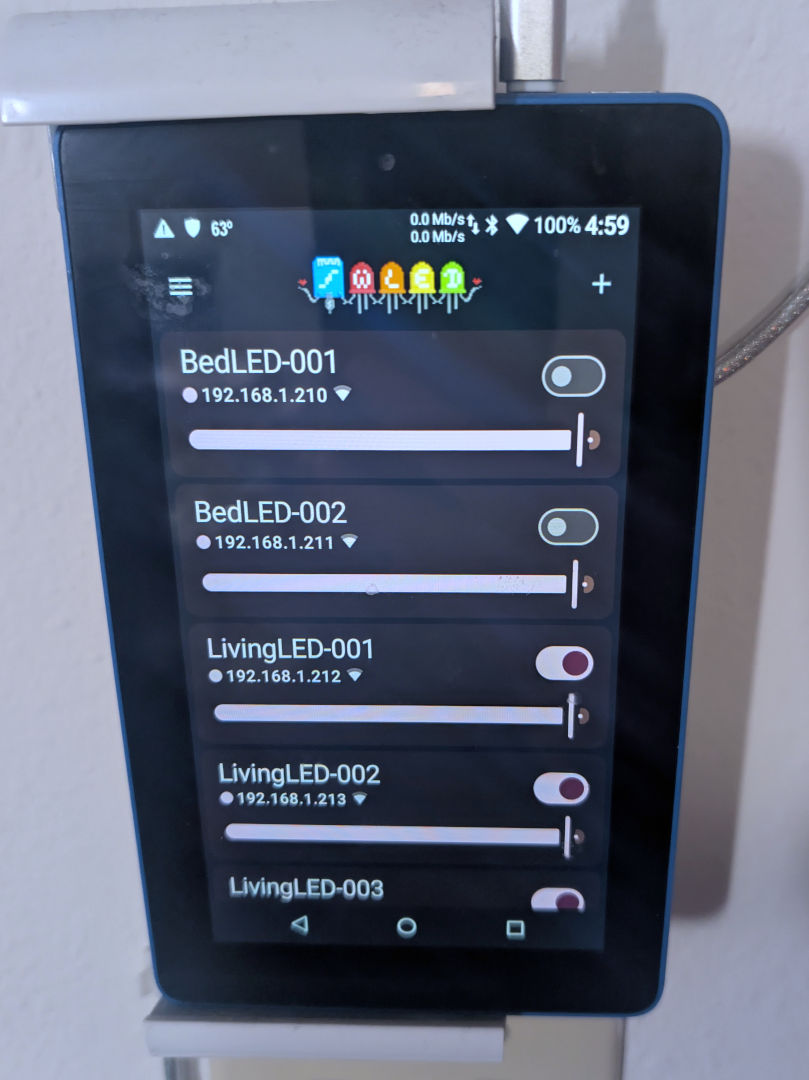
The WLED application not only does not crash in German on my Kindle 7, but it just works. Didn't need to really search for my lights; it just found them as the AP we assigned our appliances to is the same VLAN address, and that's it! But the added feature is not only that we can turn my lights on/off through the Kindle, which we've modded so it can remain a door switch for the rest of its natural life. The very worst thing that happens is due to my living in a fairly Wi-Fi-congested environment; sometimes one of the living room LEDs would time out but come back right away after.
Final thoughts.
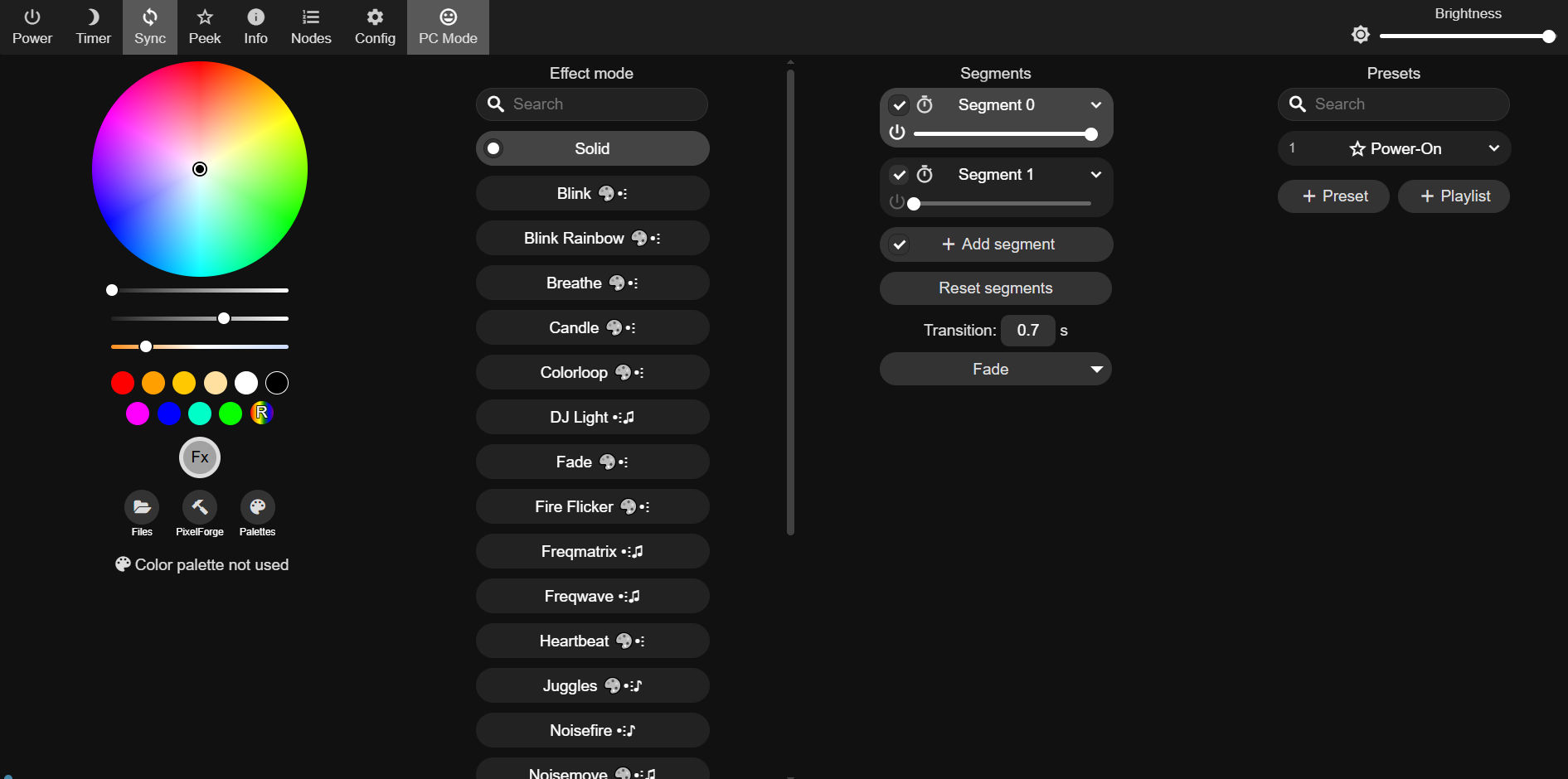
The WLED project gave me software for the ESP32 that lets me do so much. Having 6 channels of lighting (Segment 0 is RGBCWW and Segment 1 is Ice Blue but we could see people swapping out the ice blue with something else like UV. We wish we could assign Ice Blue away from the white spectrum from the 5-channel RGB that's already listed. But it's still leaps and bounds as to where it used to be.
We just scratched the surface of WLED; there's MQTT support and Alexa and Google support, which we won't use because we don't need an AI listening to everything spewing from our mouths.
About circuit design.
We're fully aware that we could remove the development board from the mix and design a PCB that does it all. The ESP32, the relay, and personally removing the LEDs, or at the very least, throwing a jumper in there preventing the LEDs from turning on in the first place. It might have even saved footprint space if we kept everything on a single PCB. Could've even broken my traditionalistic ways of using a solder iron for everything and instead just used surface mount parts and a heat plate.
"Baby steps, motherfucker" - S
Is what we told our subconscious on this one. Mounting a development board on top of a daughter board is not the most space-saving methodology of doing things. But it's far more stable than perf board wiring or just leaving it on my breadboard.
On the revised project itself.
Admittedly, it was way more expensive than $2-3 to control everything. It took a considerable level of time to build and test. But what we get in exchange for all of that time and money is the knowledge as to how to do this, as well as a product that does about as well as a commercial solution like what Lutron would provide. Getting lighting your way is something that can't be bought. Even if you could, what kind of privacy are you willing to give up to get it, with all of these asshats hosting cloud services to collect your data?
If the real cost is cash and learning time in exchange for keeping our privacy. It's a fair trade.
What's what server said.
END OF LINE+++