

An emotional experience with the Okidata 395.
A long time ago in a galaxy far, far away, there was an event called "Y2K" in which the computer industry scared the living fuck out of businesses, claiming that computers would fail horribly unless every PC on the planet were upgraded within a year. While there was a percentage of truth to this, such as banking software(s) written in Cobol operating on a two-digit date system rolling over to '00', potentially destroying all calculations of currency, thereby ruining the books. It didn't require the moral panic of ripping out stable Windows 3.1 business environments in favor of Windows 98 (nono, not Windows NT or 2000.. some of these dipshits went Windows 98, while business believed they were saving money, they sure as fuck paid the price later.)
For every disaster, there's an opportunity.
We have to thank Y2K for launching our careers as technicians. You see, there really was no chance to wait for people to graduate college to meet absurd qualifications like today, when employers are asking for at least 10 years of experience with Windows 12 in 2026 to qualify for a desktop support level 1 position. If you knew computers. You were IN! Well, after doing a bunch of deployments.. We eventually worked at a place that wanted not HP certification to repair shit (at least not right away) but Okidata certification. To get certified, you had to completely tear down a printer and put it back together with it powered on and able to do a test print within an hour. The Okidata 393 was the printer for us. Read onward to continue the diatribe.
What the hell is an 'Okidata'?
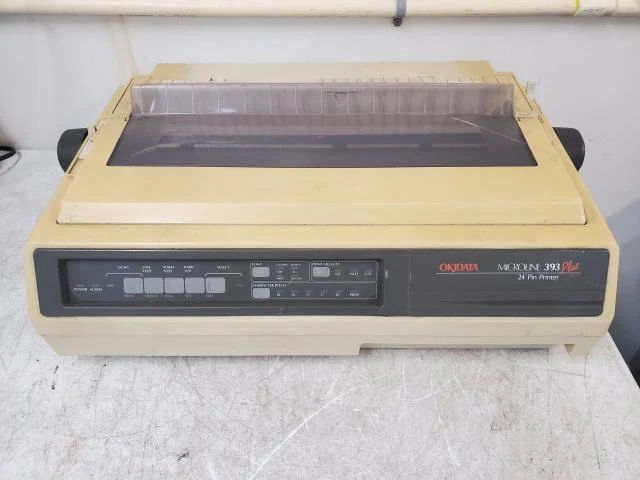
Printers like the one are considered "Ribbon Printer" and were manufactured in the mid-80's for businesses that wanted a printer that was not only durable but reasonably fast while still being economical (At least for the mid 1980s). Hell, we even wanted one of these for our Commodore 64 and Amiga. Except I didn't have $400 pre-inflation 1980's dollars to buy the more economical Okidata 320 that you see at airports and quick lube stations in america sometimes to this very day. The 393 cost $2,000, which we didn't pay that much for a complete system, much less a printer!
During the start of the 90's. Ribbon printers like this one were replaced with laser printers, as even though the cartridges were mostly OEM, increasing the cost per page dramatically. You could get more pages of laser printer than from a ribbon printer. The HP Laserjet 2, released around the same time as the Okidata 39x series, could give you 8 pages per minute at 300dpi. For the small business where speed is key. This is fantastic. That certainly slowed the sales of ribbon printers. But didn't kill them.
Because a lot of mainframe/ERP systems and the business itself were built around the continuous feed ribbon printer. Service carbon copy work is the #1 thing that a laserprinter could not do. Since ribbon printers used violence to print (pins striking the ribbon/medium to make a dot) It meant that whatever you print on the first page was also printed to all of the carbon copies. This means you could have your customer sign off on the top copy. And the rest of the barely readable copies (Because no one ever sets the platen gap correctly) went off to accounting. Perfect!
There were other technologies of ribbon printing that didn't rely on a single head. Such as hammer-matrix technology like the IBM-6400-XX or Printronix P5XXX series. Or if you want to get incredibly old school, there were IBM 'band' printers where a printer took a steel band of letters that rotated at around 1000rpm and hammers would punch out complete lines of text. Crazy shit, but if you wanted carbon copies with the speed of laser printing, if not faster. That's how you went.
It's 2026 S, Why the hell are you looking at a printer like this? - Many of peeps on messanger services we use.
Nostalgia, for starters. This was the first printer we were certified in, and we repaired many of them. This is the printer that put food on my plate. And now that it's approaching 30+ years in age. Coupled with the fact that we are no longer in the IT world per-say. Figured this is a great time to get them, as most of the business world has phased these beasts out. I never got an Okidata as a kid for my Commodore 64. Stuck with an Olivetti printer that couldn't do graphics. On top of this. Thought it would be fun to try and do things with modern software on a printer from the mid-to-late 80s.
Ebay get?!?
One of the strange things about printers like this is similar to my blog about Zebra Thermal Printers: pricing is in the eye of the beholder. And you have two types of vendors.
- Vendor 1 is what we describe as the "I know what I got" vendor. These guys are still selling printers like this for hundreds, if not thousands, of dollars in 2026 because they know there's a scarcity for a quality ribbon printer. They know there's a market for printers like this for the two primary customers. Which is guys like us, the vintage collector. The other buyer is surprisingly there are still businesses that refuse to upgrade and WILL pay a vendor like this $1000+ for a quality machine they can beat up for another 10-20 years. Vendors like this when they receive a beat-up printer. Vendor 1 would be more prone to parting it out because, statistically speaking, you get more money in tested parts for ancient printers than you do as a whole unit. Mark up your perfect printers to get your money's worth. Print out your shit printers to get your money's worth.
- Vendor 2 is more our speed. The "Get it the fuck out of my warehouse!" kind of guy. They've upgraded their shipping and ERP system long ago; it's been sitting in their place collecting dust, and they're tired of looking at the damn thing. No, they don't even want to deal with Vendor 1 because they're too much of a pain in the ass to work with.
We say that Vendor 2 is more our speed because we're not just some vintage collector. We're also repair techs. So, if a printer needs a little work, then so be it!
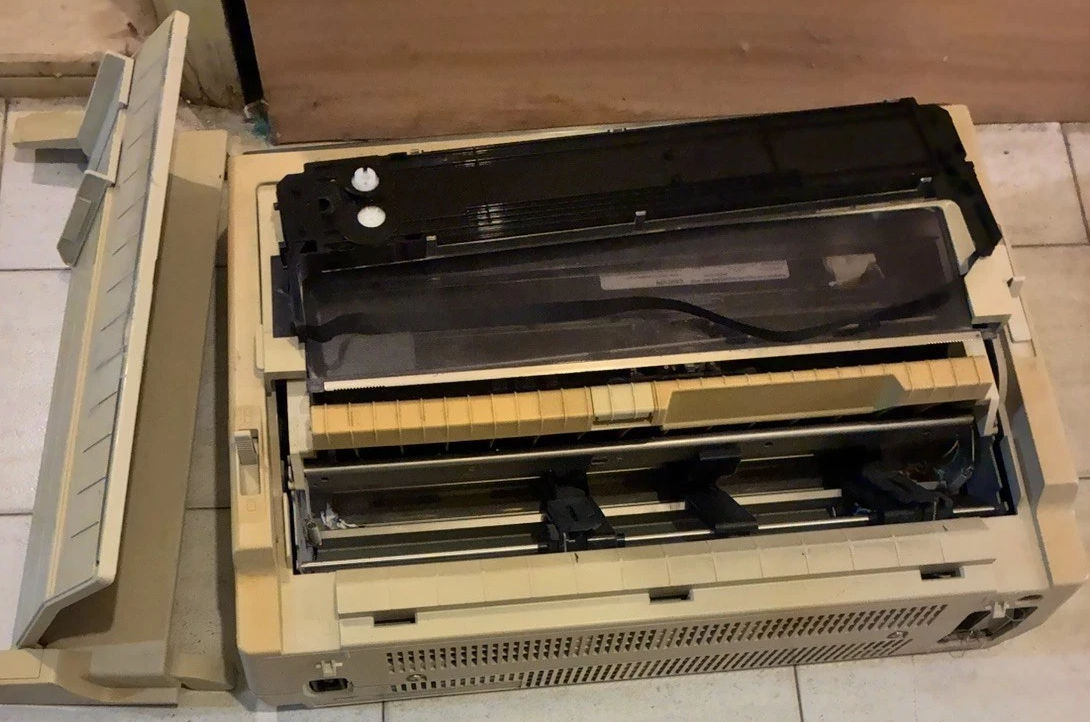
We eventually find this guy on eBay. An Okidata 395. This was the only picture they took, with the control panel facing away. We have no idea of the condition of that. But what we can tell is the metal inside doesn't look rusted to shit. It has all of its plastic despite it desperately needing some retrobrite action. comes with an extra ribbon but missing the roller knob to manually advance the printer (No clue why everyone loses the knob!) With the price at $30(USD)+60(USD)S&H, we'd consider that an acceptable price for a ribbon printer of this age. Ebay vendor did state that he has not tested the unit and thus is selling it for parts/AS-IS. I was fairly stoked on this. Even if there was some electronic failure. Barring a bad system board, we can generally recover from it.
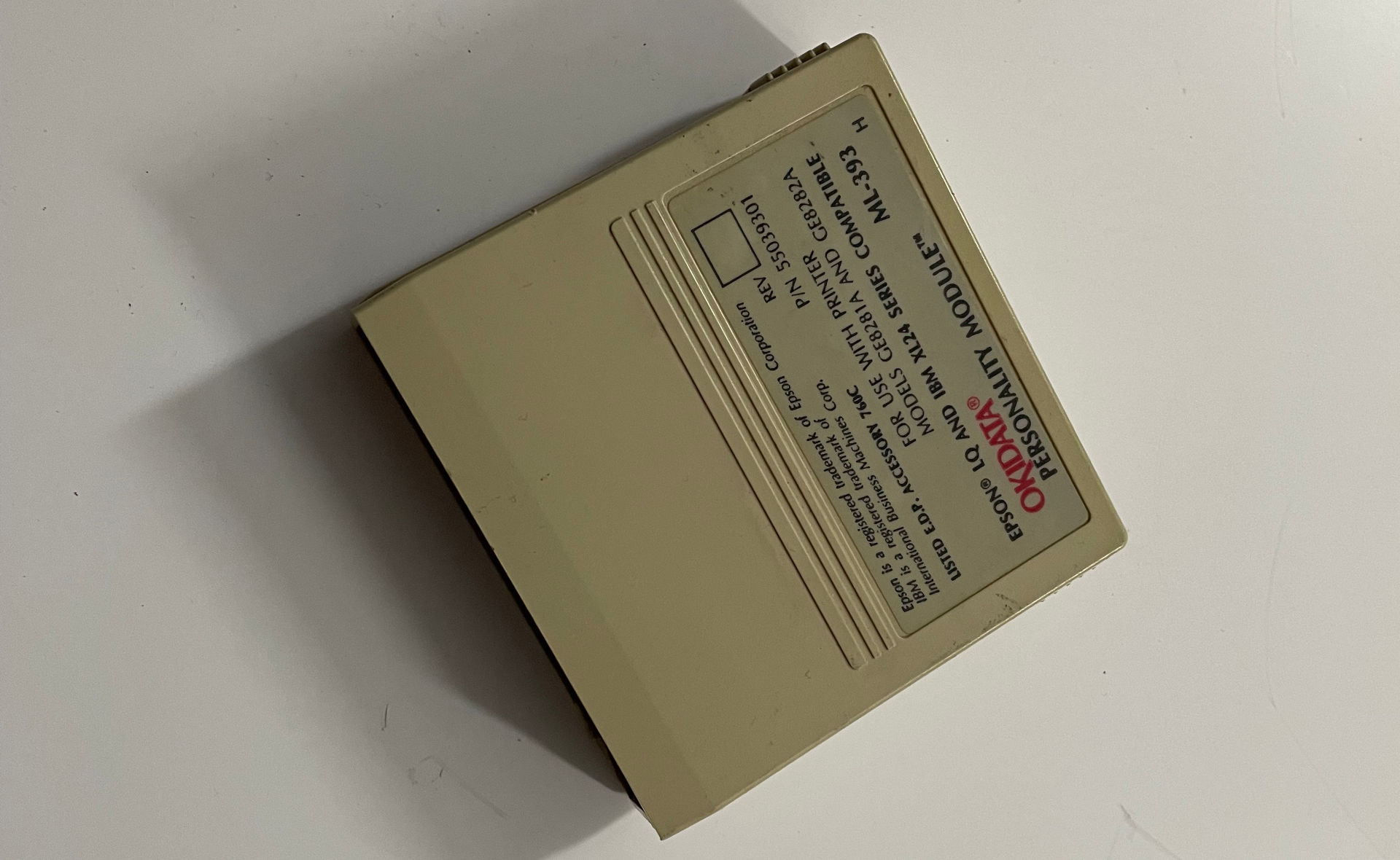
Note: The reason why we went with the Okidata 395 instead of the traditional 393 is that the personality cartridges are built inside. What is a personality cartridge, you may ask? Well! Back in the days of 8-bit and 16-bit computing, printer drivers were super limited. Older programs could only understand maybe 30 printers for graphical settings. If your printer was not on the list, you were out of luck! The 80s were a weird time, as PostScript from Adobe and PCL didn't really exist, IPDS was an AS/400 standard, and no one else did. No one really knew what the standards would be, so printer companies would often share with each other a method of emulation in case the primary Okidata drivers couldn't be found on these ancient machines you could at least choose an alternative to perform more graphical functions.
And then, it arrived.
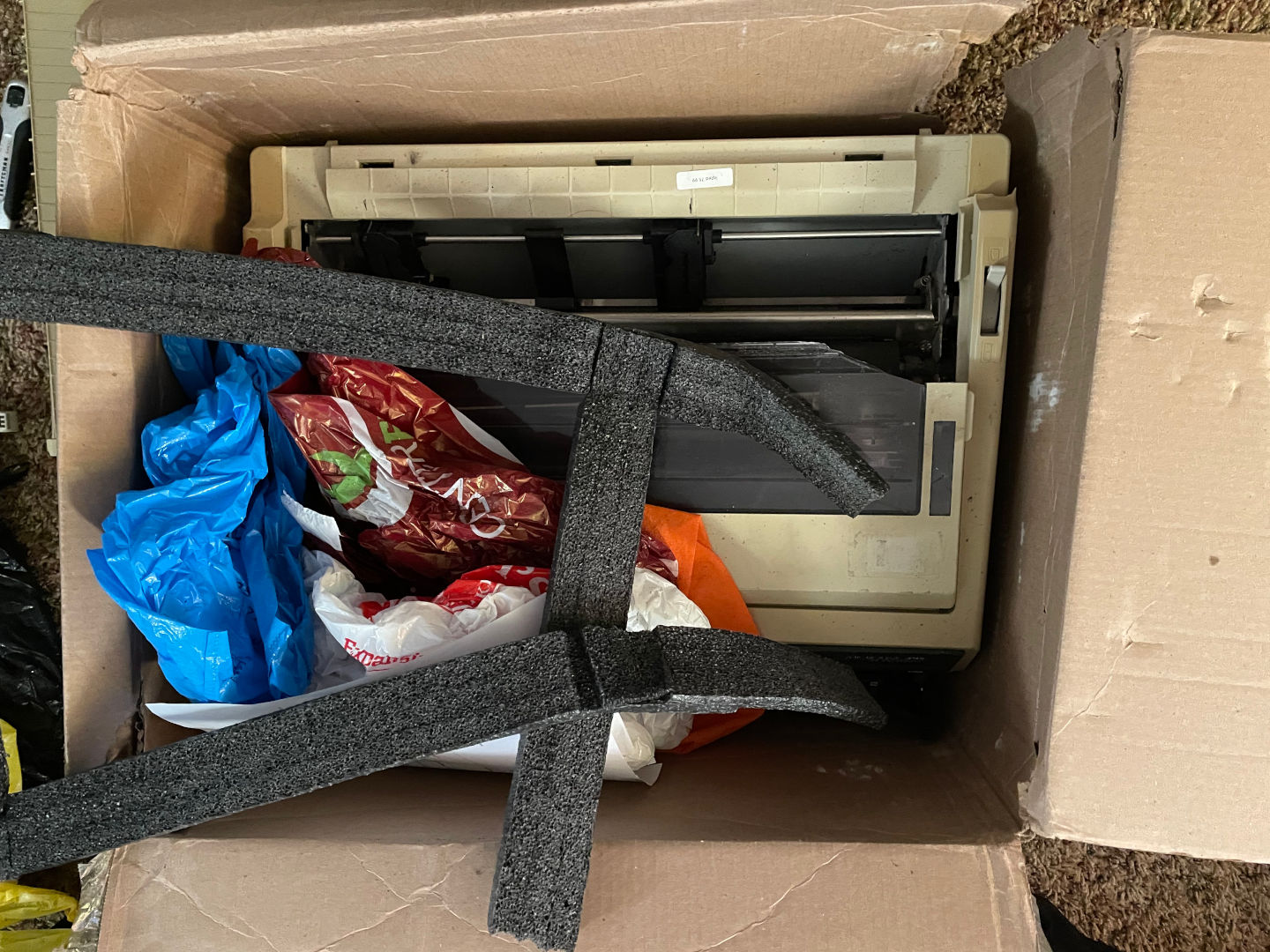 Fuck......
This is the nightmare every Vintage Collector fears.
During the packing part of the process, this particular vendor thought it would be a good idea to recycle a single-ply box from Amazon, put the manual feed plastics FIRST. Then drop the printer inside with zero protection on the sidewalls. and finish it off with an ultra-thin piece of foam and... shopping bags. Yeah, *sarcasim*that's totally going to protect it from the brutality of USPS Ground! */sarcasm*
It really pissed us off. Because this was just an act of straight up neglegence.
Even when you pack 30+ year old printers properly, there's still a risk of the yellowed plastics cracking. With the way this was packed. This was car-accident-level destruction of plastics. Needless to say, we were initially pissed. But you know what? Let's unpack it. Because you don't really need plastics to test the core of this machine.
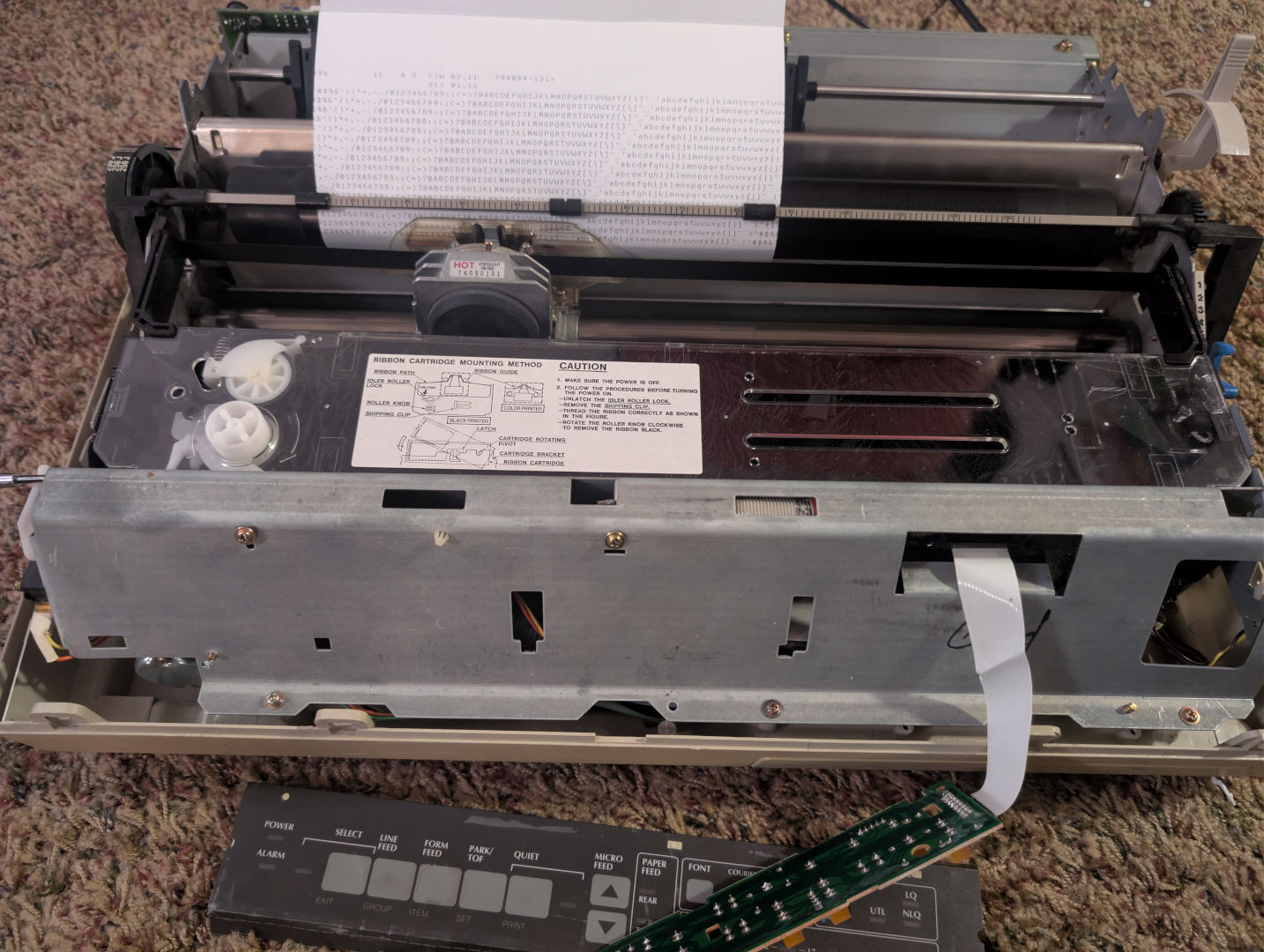 Smoke test!
H-okay! After removing all of the plastics. cleaning the insides, blasting it with air. putting the cartridge back in and making sure the internal gear assemblies were not completely fucked. We bypassed the door switch on the left-hand side as well as jamming a screwdriver into the microswitch on the right side so the break resistor doesn't slow the head down during initial test, and by holding the form-feed button on power up. We get rolling, test print!
One of the most common failures of OKIDATA, which many users don't realize, is that the door open switch upon power up just throws an alarm light, and that's it! So they immediately think the system board on the Okidata is gone when in reality it's probably a small chip of plastic not making contact with the microswitch. For $2,000, you'd think they wouldn't use idiot lights. But nope.
It should be noted that if we didn't jam that screwdriver in place, the brake resistor kicks in and gives us a 'spacer motor error', which we had a bit of fun tearing this apart multiple times to test the spacer error. The cartridge gears were grinding because the support bolts at the bottom of the plastics were also shattered, bending the frame slightly. We also were greasing/lubricating all of the gears inside. We also checked the capacitor on the board driving the spacer motor, and it reads 38.9vdc, which is good.
Ebay feedback.
Now, we had to sit back and think. Did we get our money's worth out of this deal? It was $90USD all together. So, considering all of the electronics work. And we just cleaned the mechanics thus far. We didn't ask for my money back. Because it was sold AS-IS and parts only, and we indeed got parts! But we did contact the vendor and let them know what happened. To their credit, they apologied stating that they will talk to their shipping people. And asked if we wanted our money back. I replied it's good.. And also told him that since he was selling another like this. Raise the price and pack it with either heated foam packs or legit bubble in a cubed box. Plastics, even yellowed ones, are like gold for someone in the vintage collection scene.
He has since raised the price from $30USD to $129+80S&H on the second Okidata 395. Fine dude.. Just ship it right next time!
Repairing internals.
We're not going to throw this printer in the garbage. Not when the initial fire-up test proved the electronics are operational.
We're going to keep going, despite our hearts breaking like the plastics on this printer. But first, time to regroup the collective thought process.
We had to reach out to an individual in Minneapolis that we're just going to call "Llama" because he explicitly told me not to use his real name. You see, Llama is in his 80s, retired, and does not want any attention from weirdos. Now, of course, you would be asking why the hell is he talking to me? Very good question BTW! It's because I've run some service calls for him in Wisconsin for his larger customers. So we have a bit of a back-and-forth relationship. It was a long shot. But asked if he had any Okidata 395 parts, he said, "Got a box of 393 parts that should work. How does $30 sound?" and SOLD we certainly were. You'll see why in the moment!
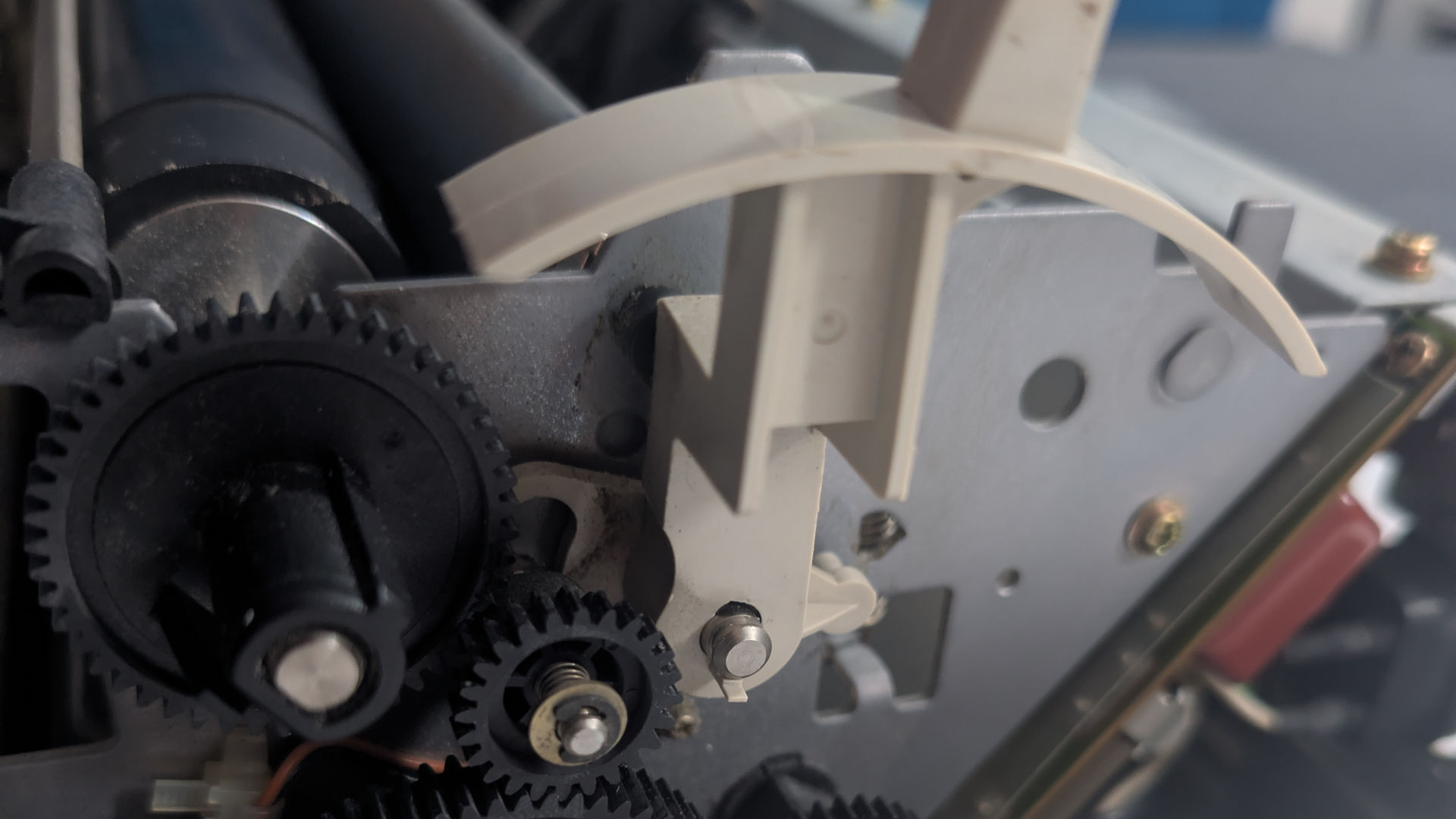
First thing is first, on the right-side of the printer we clearly have a broken clutch assembly, which is responcible in moving the flywheel gear from the manual feed mode to continuous feed mode. These things break naturally WITHOUT smashing them to the ground. When it's held in by two tiny tabs. What the hell, Okidata? Seriously. Without the tabs securly on the shaft. This plastic is one step away from shattering to bits.
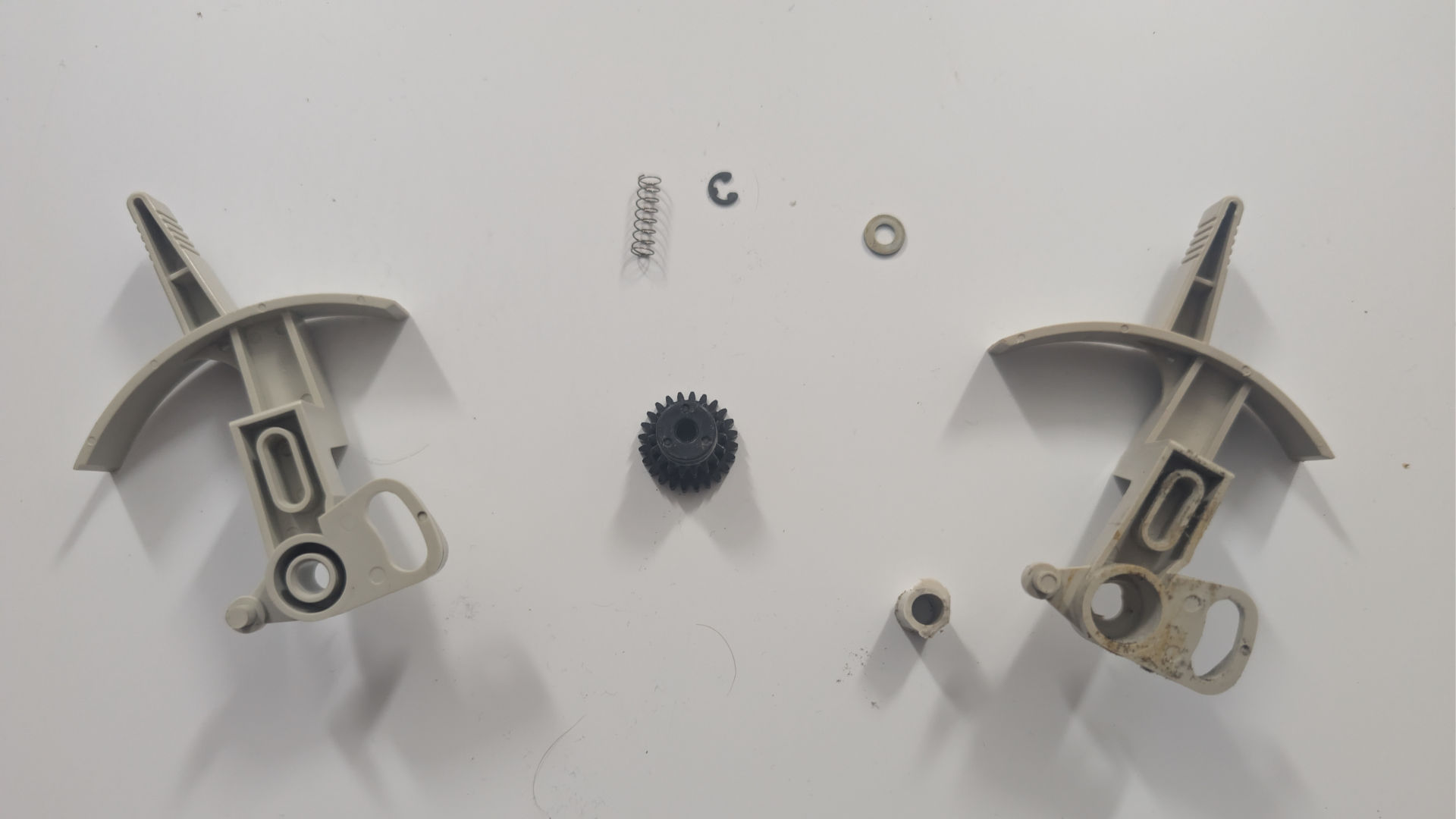
Good clutch from Llama on the right, Broken one on the left. Not only were the tabs broken, but the core was broken out of it as well. Which explains why we only had to remove the c-clip on one gear instead of the usual two. This is one of those parts that deserves to be re-engineered on a 3d printer using carbon fibre filament so it never breaks apart again.
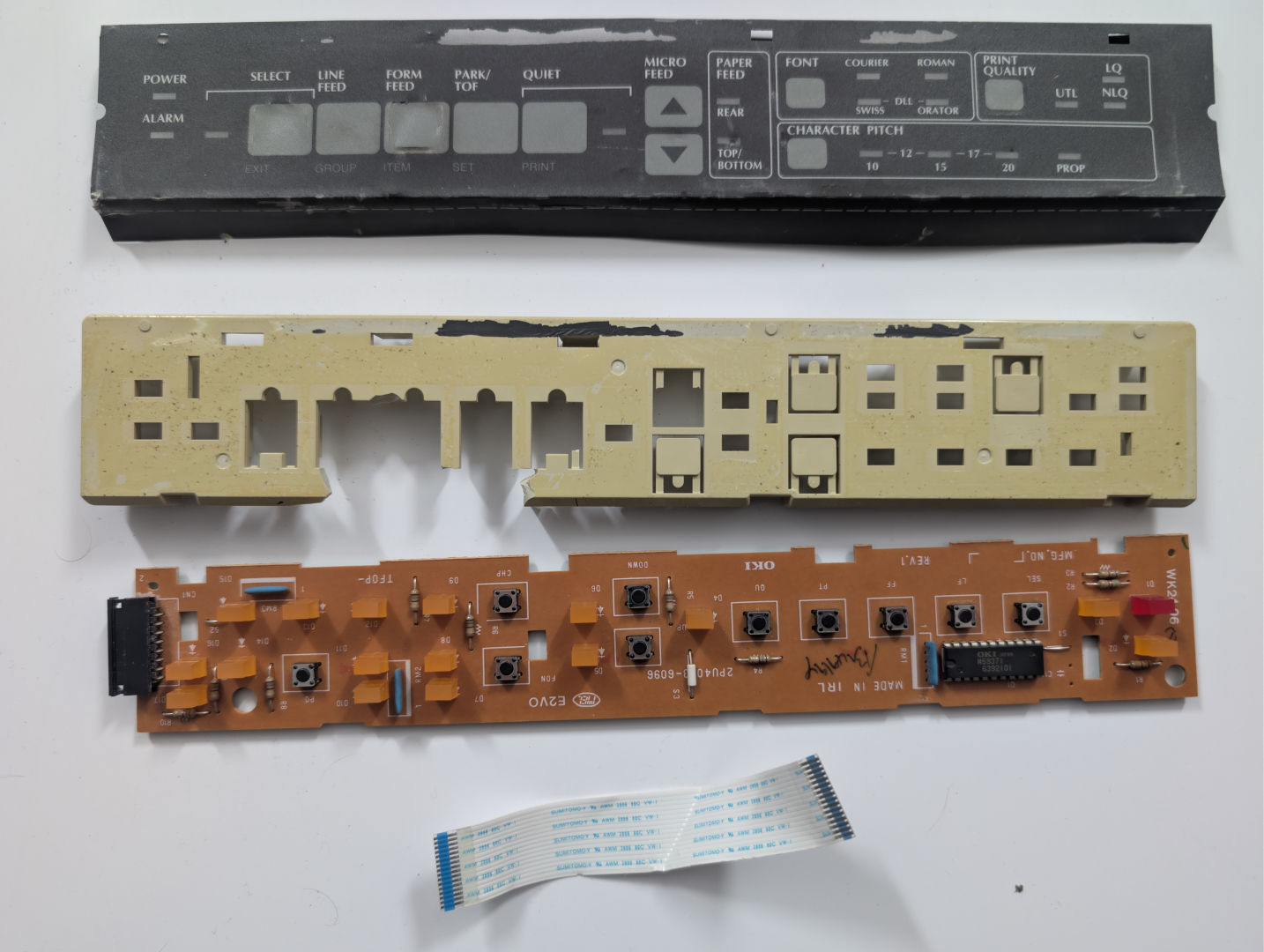
The operator panel plastics were destroyed in shipping. This is one of those moments where we were thinking we would need to substitute out a diebond sheet to act as the skeleton, as the PCB and the ribbon cable are honestly the only salvagable thing. This probably made the most mess, as a lot of those cut-out plastic bits were supposed to be keys. Also, the impact was so great it not only shattered the control panel right off the frame. But it broke all of the front pegs of the frame itself, connecting to the base of the printer.
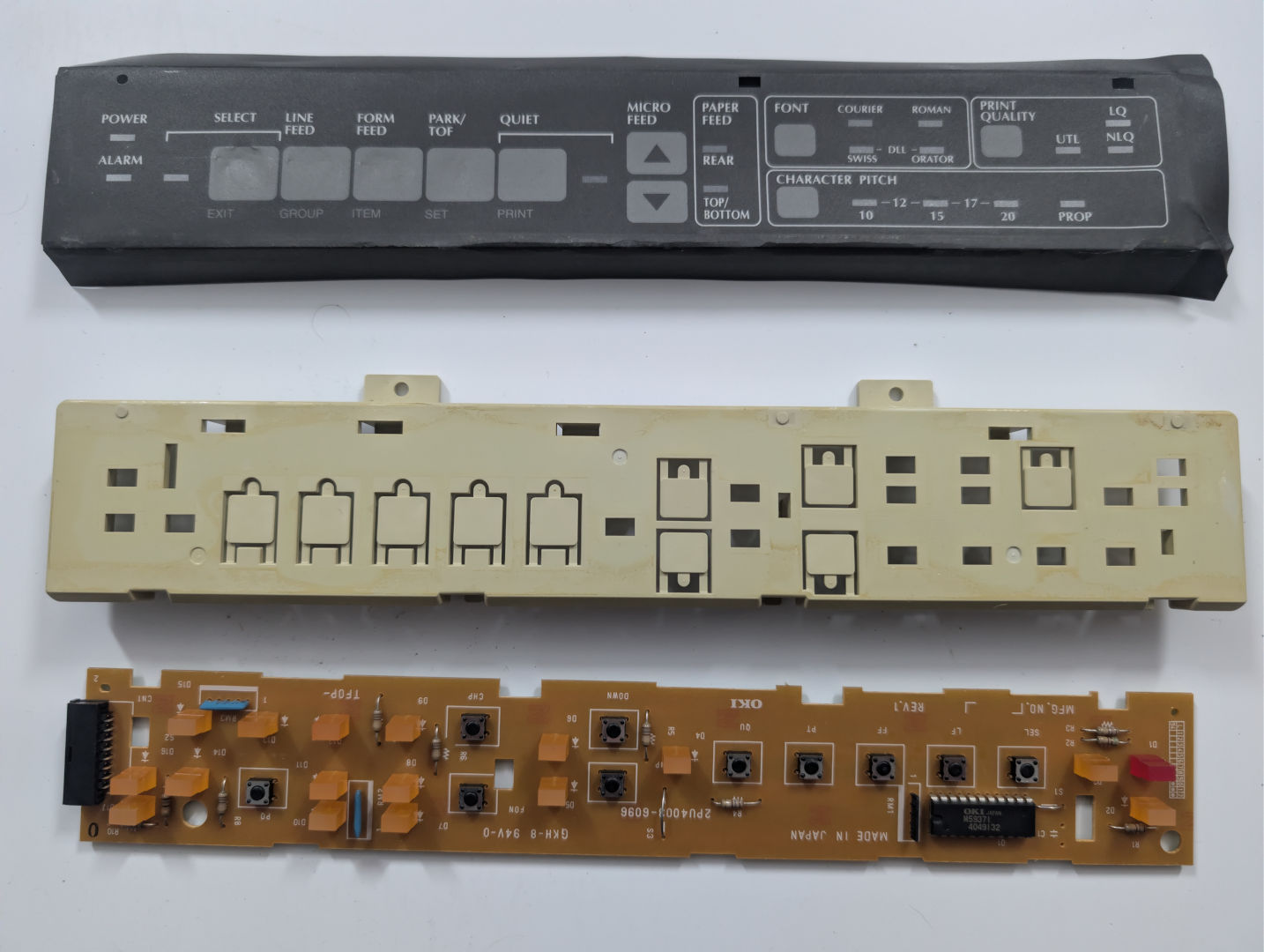
Llama pulled through once again on this one with his 393 control panel, which is virtually identical to the 395. The only thing it didn't have was the ribbon cable. As you can see on the good plastics, the two screw tabs on the top were totally obliterated from the original one. Also, the plastics were designed a little differently, where they didn't use a glue that destroyed the paint as they did on the Okidata 395. A bit of a quality loss between old 393 and new 395.
Finding good control plastics is actually an incredibly rare find. Sure, the control panel sheet is a little dented. Which was the same on our original PLUS paint destruction. So we're fine with this.
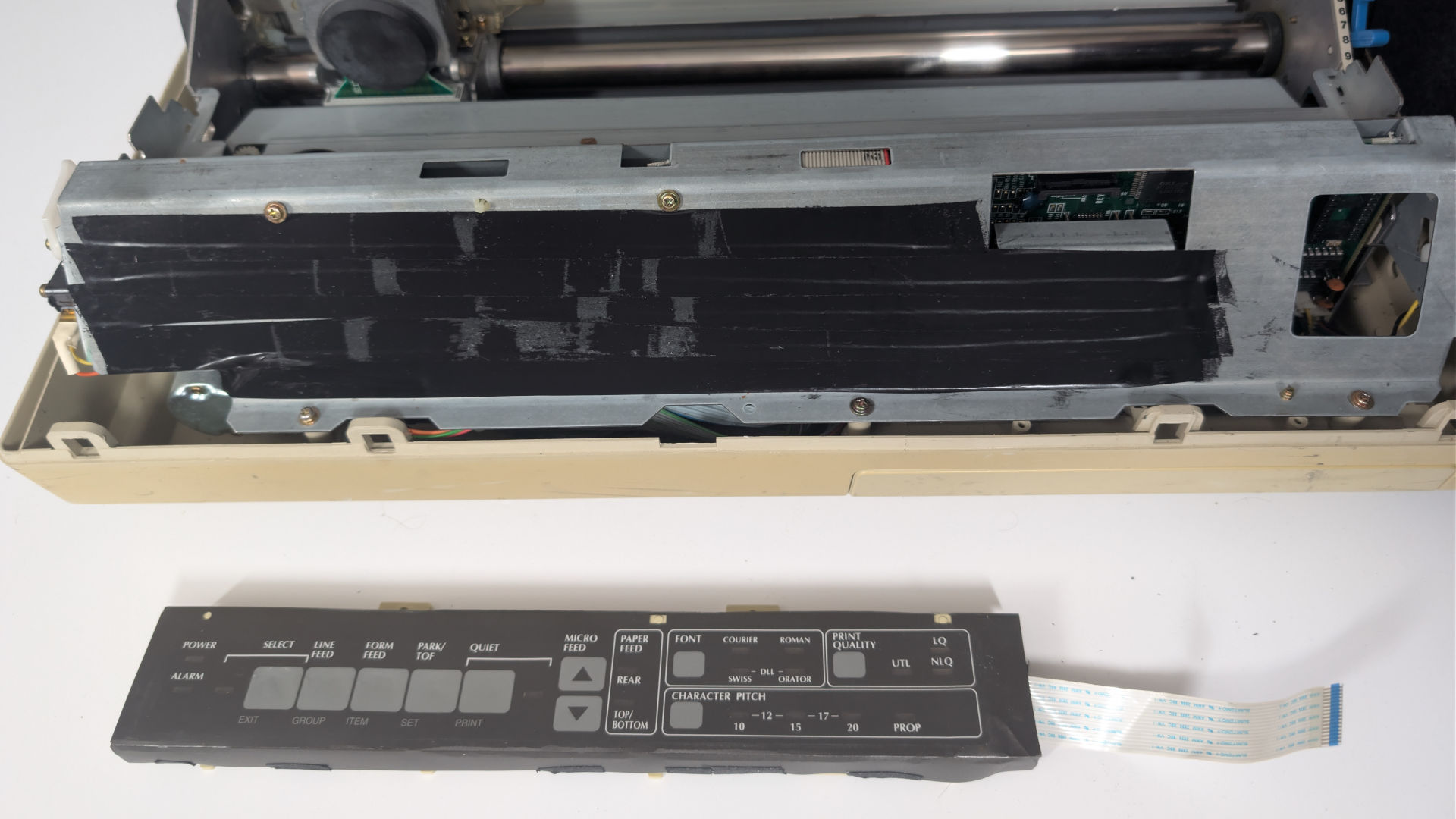
With the control panel assembled, it's time to address something else we didn't like about Okidata's design when we started, and it bothers me 38 years after this printer was made. Which is those two plastic screws are the only things stopping the control panel from grounding out on the frame. Nope! You're getting a layer of electrical tape!
By the way, for the polycarbon sheet wrapping around the control panel, we didn't use electrical tape but gaffer's tape. A lot less harmless then glue
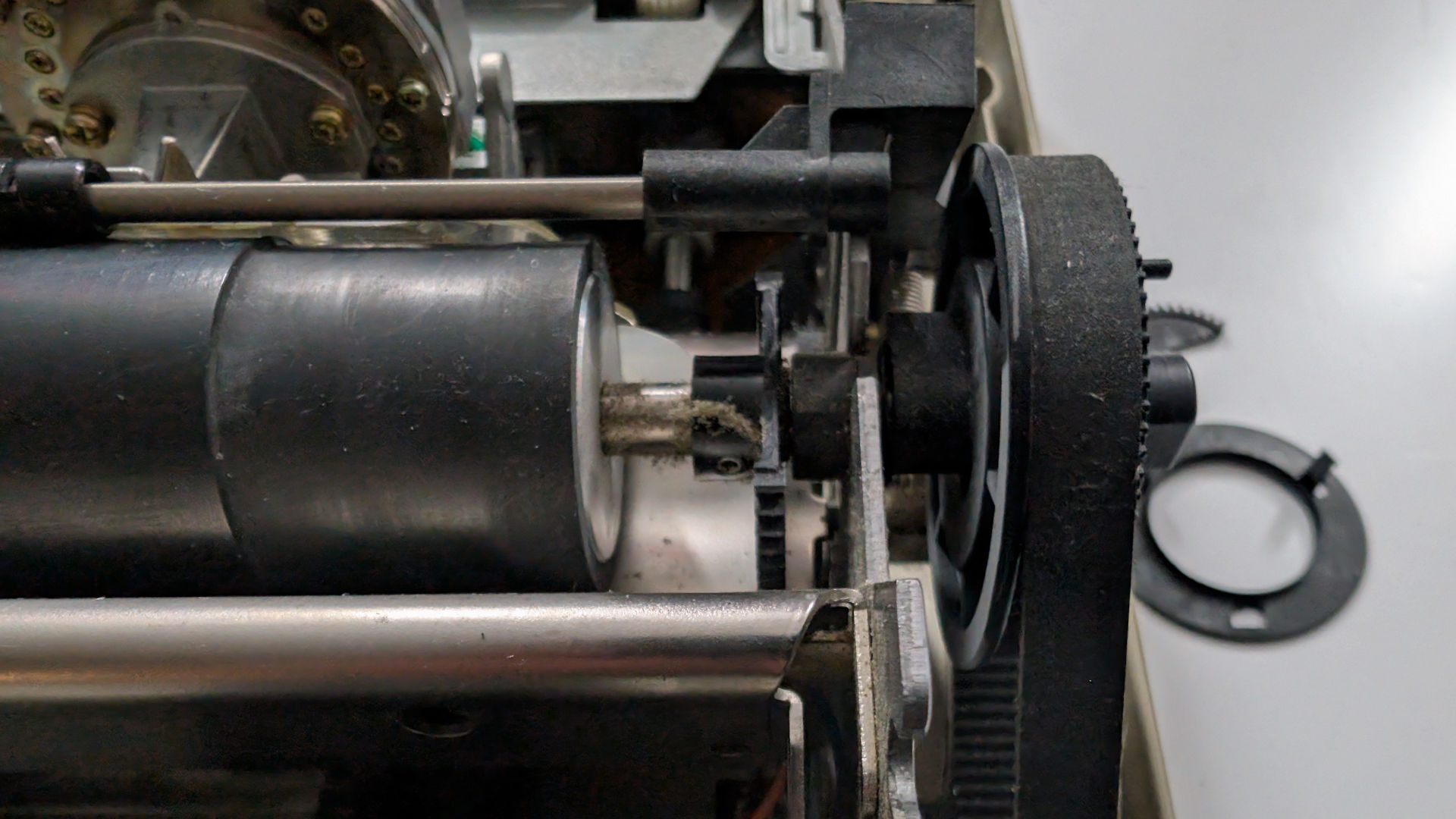
Flipping the printer 180 degrees, we look at the drive belt going from the stepper motor up to the primary pressure roller that makes contact with the paper. We have two problems going on in this picture.
- Shattered gear that drives the tractor feed assembly - Now, this would be devastating if we had the optional tractor feed assembly kit that allows us to feed paper right into the bottom of this printer and up to a set of tractors to allow continuous paper to feed directly underneath the printer. But guess what? We don't. We can feed continuous paper through the tractors in the BACK of the printer. OR, we can use manual feed thanks to the clutch we just repaired. We got options. We're fine.
- The more serious issue is that the cap is broken off the belt, which, in the wrong situation, the belt can drift right off and stop our printer cold. THAT's more serious!
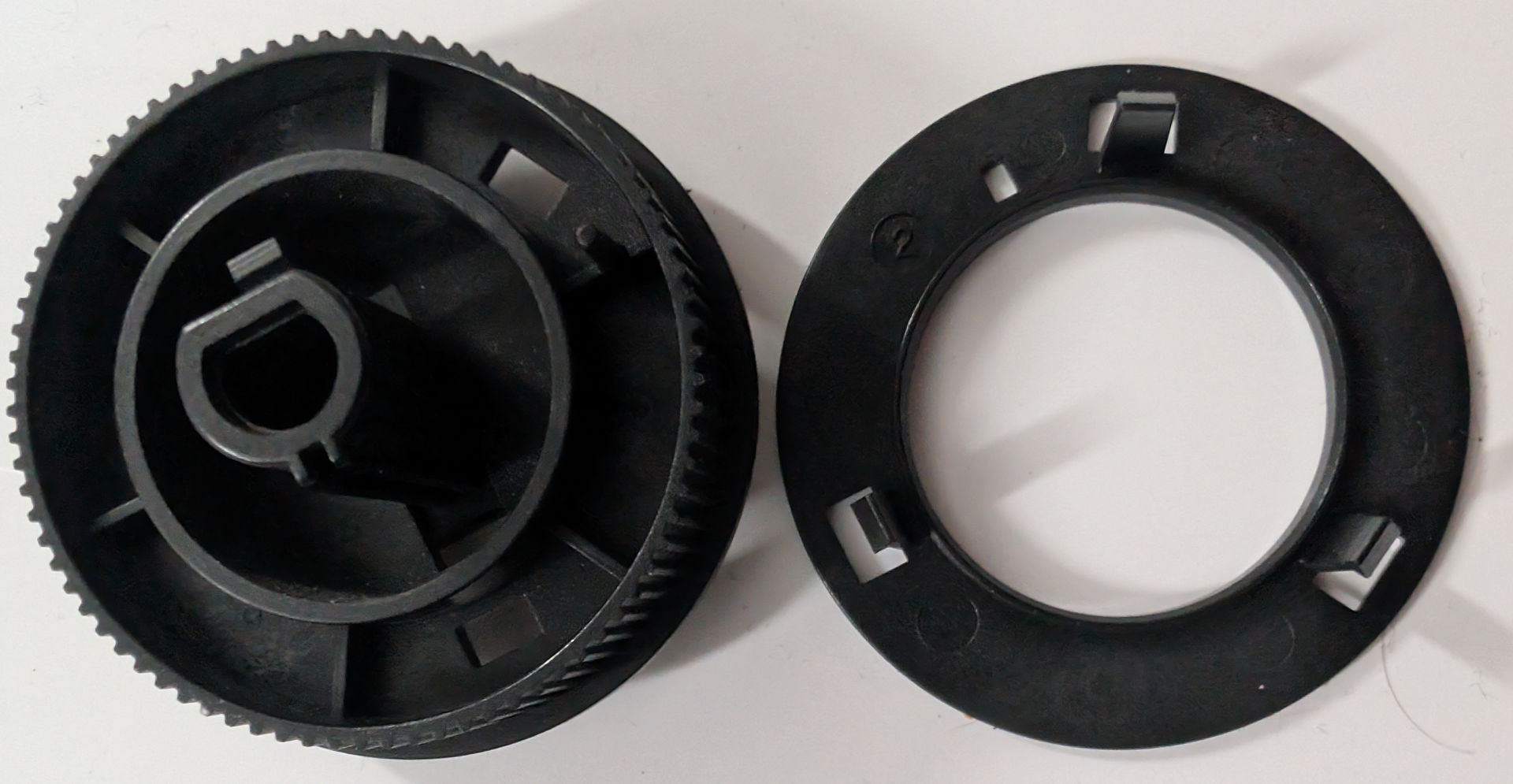
Again, Llama pulls through with a replacement part. I do remember not having this part in the field a few times, and when a customer wanted their printer going right away, we would drill little 2mm holes in the empty pockets of plastic and add a screw/washer/nut holding it together instead of the plastic tabs. This was the start of shitty interlocking plastics, and it was not appreciated even in the late 80's from Japan.
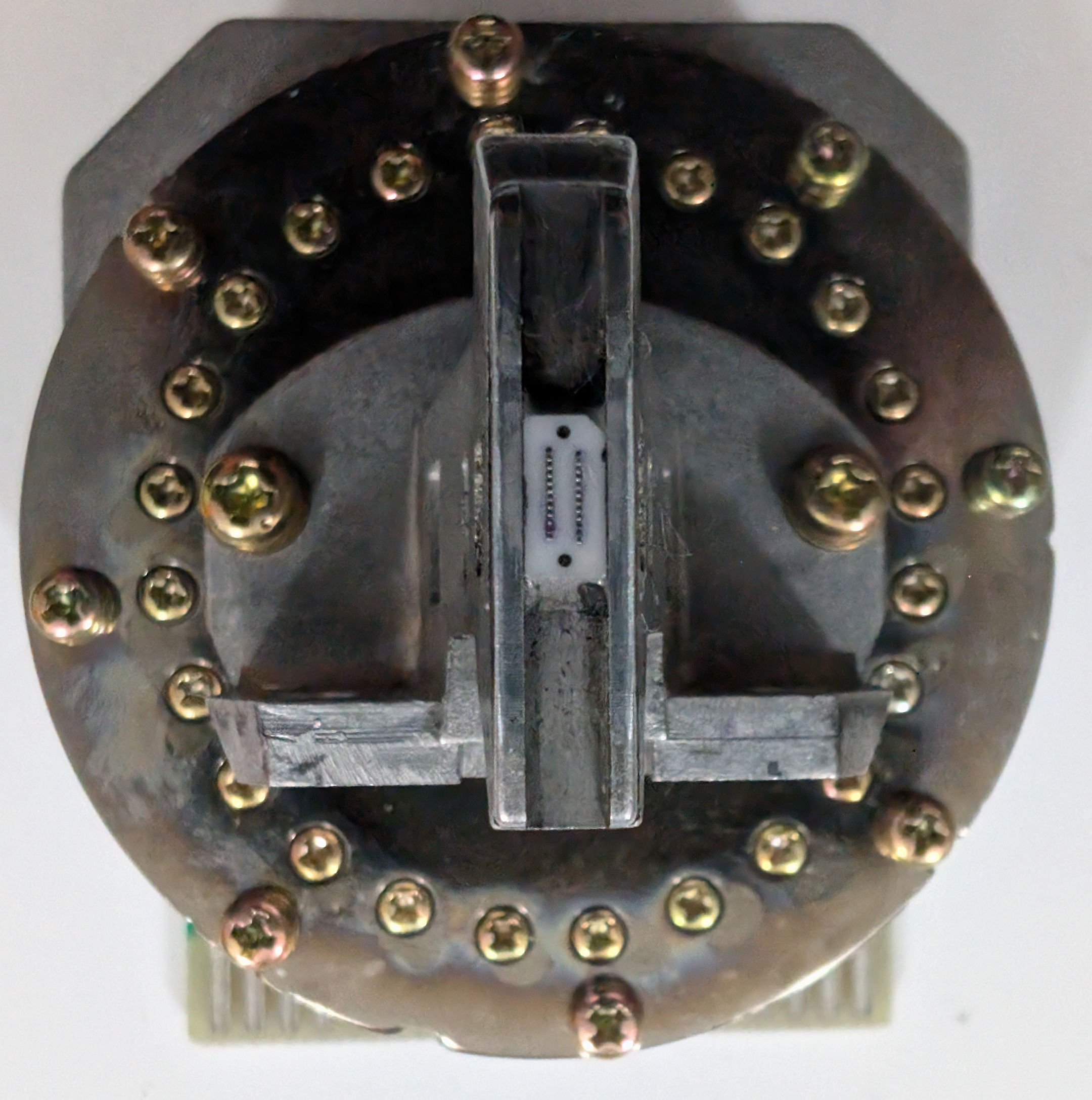
Since you could see the printhead in the background with two screws, and we pull straight up, as it has pins similar to a game cartridge. We could remove that printhead and inspect it. What we have to say is a part of the printer that Okidata spent some serious time making. You just don't see this level of art in making a printhead like what we got going on here. With a little bit of alchohol we're seeing that the printheads for the most part are in good order. Some usage, but the majority of the pins do not look pressed in.
If we had to keep one part of the printer as a memento. This would be it.
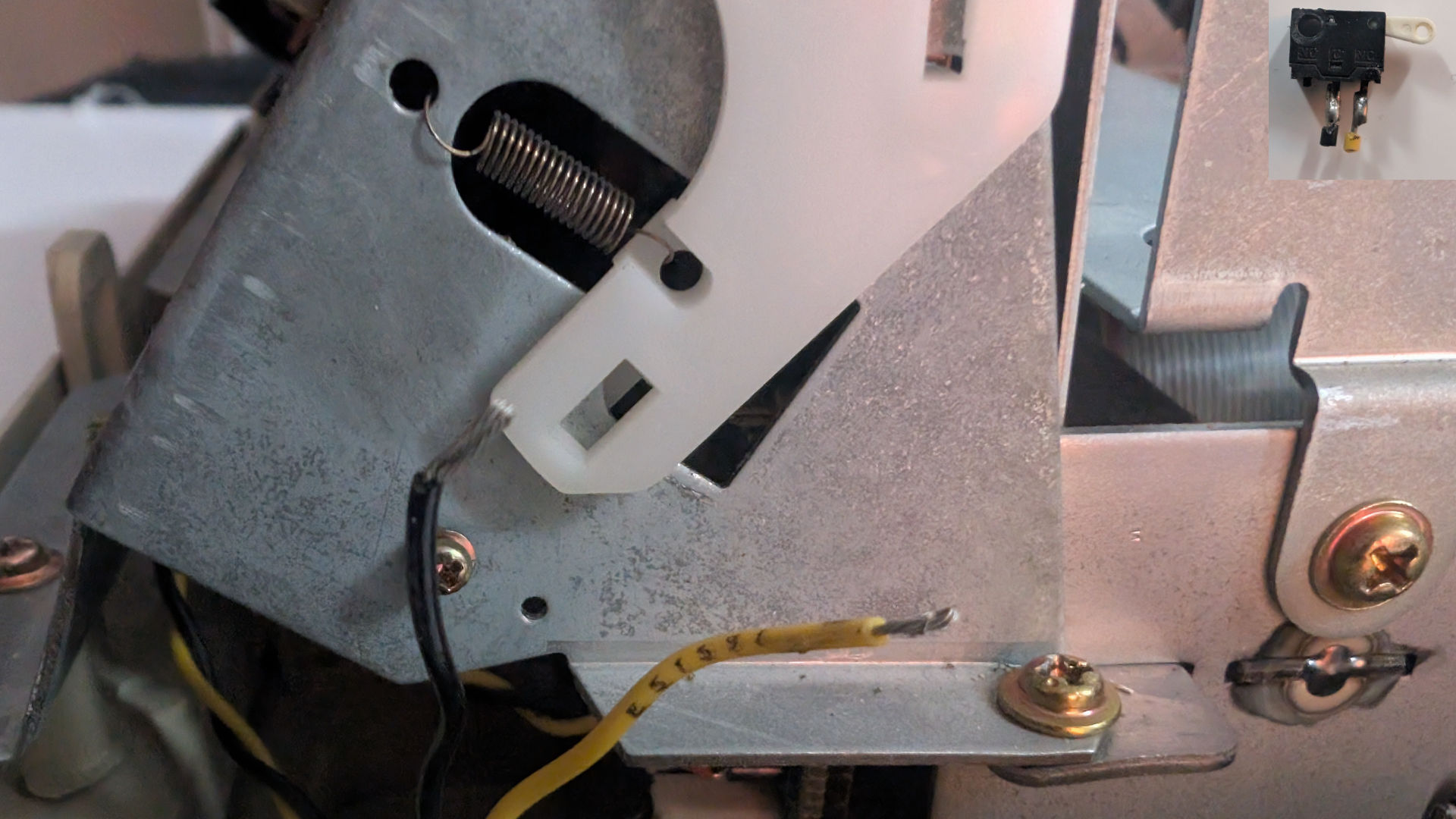
Moving to the front right-hand side of the printer, we encounter a safety feature, Okidata installed, which can also mislead users into thinking their printer is totally dead! There's this tiny cover-open switch that breaks incredibly easily! As you can see in the picture of the switch in the upper-right corner, our switch is in the down position. Which is completely wrong. There should be a switch that lifts when the white plastic is away from it.
If you power up the printer without plastics, and you didn't unplug it from the system board. It would just give you an alarm light. full stop. Which can also happen if your plastics are as destroyed as ours.
So, we removed it. Now, in an office environment, this could be a bad idea to do because one person could be at the printer removing paper, loading paper, loading a new cartridge, and another person in the office could send a print job to the printer. Potentially injuring the person working on the printer.
It's just us. We're okay. If we send a job to ourselves. Shame on us.
On top of this. We guess Okidata would have to void our warranty on our 38-year-old printer.
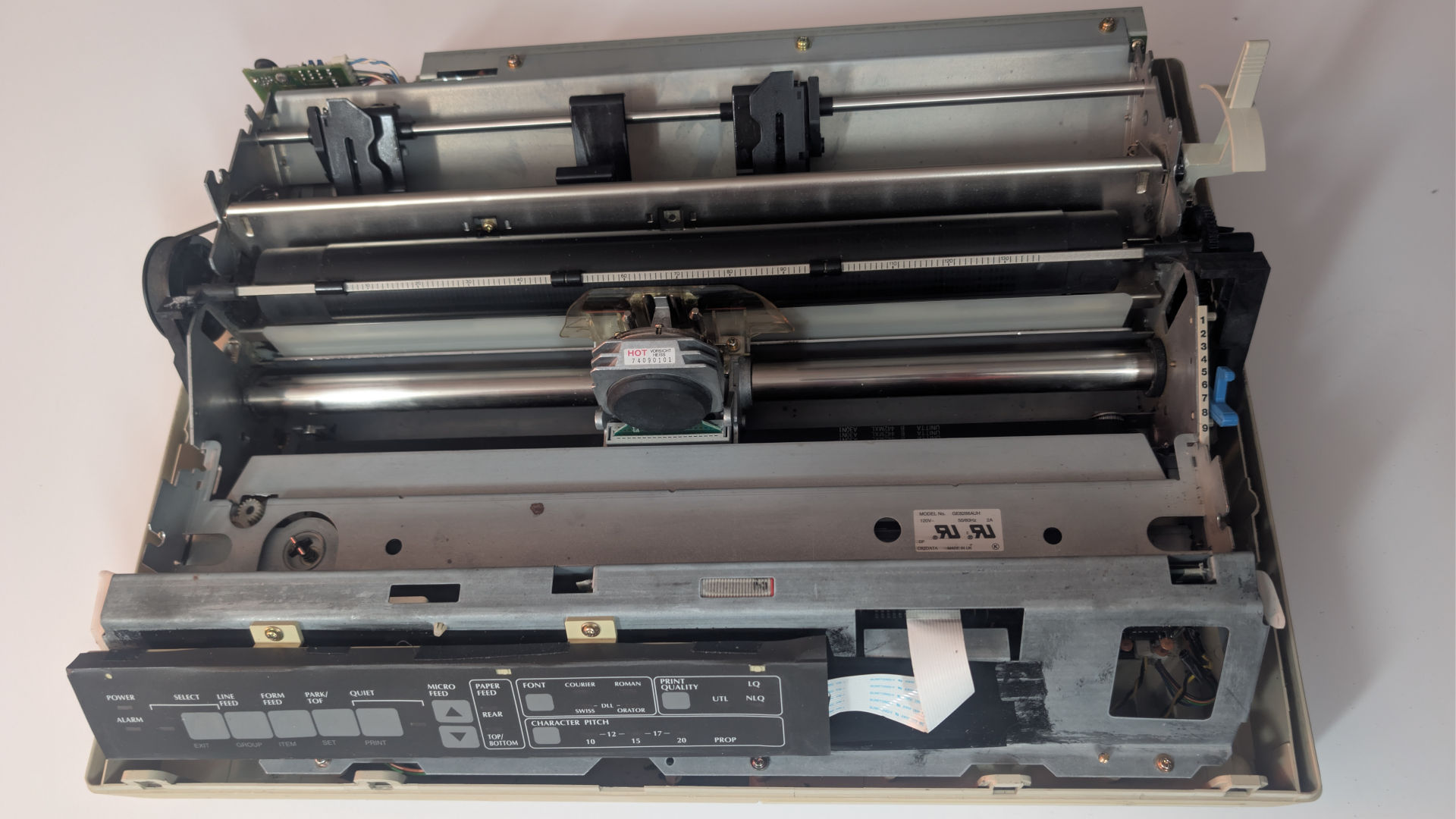
Note: Although we didn't take a picture of it. There's a bigger cherry switch on the opposite end of the printer that goes towards the cover as well. Looking back at this in retrospect, we should've disabled that switch as well. That switch controls the printer speed by using a brake resistor to bleed off power from the spacer motor from going full speed. In Okidata terms, the spacer motor is what moves the carriage from left to right as you print. This turned into a problem for us later because our spacer motor is not in great shape and will stall out, giving us spacer motor errors. Yes, we did check the rest of the printer to ensure there was nothing dragging down the assembly. Even repaired the mounting bolts on the bottom plastics, which removed the gear grinding noise from the cartridge gear cluster.
Repairing externals.
This next section is going to sound like we received a sponsorship from Gorilla Glue. But they have no way of directly contacting us. You're going to have to take our word that it's something we purchased and we used the ENTIRE FUCKING BOTTLE on this project. Taking the longest amount of time to repair.
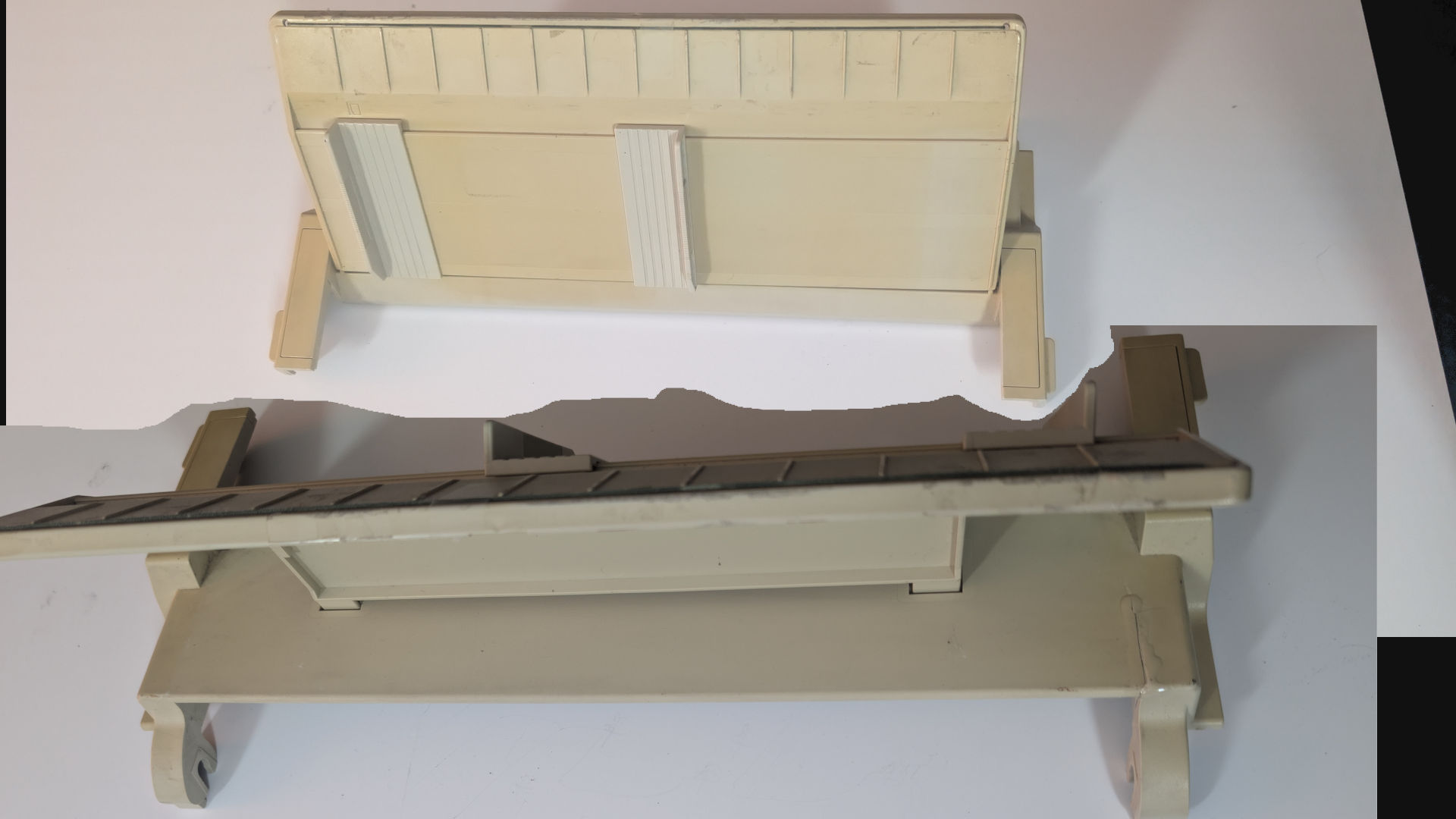
Starting the rebuild with the LEAST amount of glue, the manual feed paper tray was UNDER the printer in the shipping box at the time of shipping. There was just a crack in the back hinge, and that was it, as the rest of this disassembled itself during shipping, preventing any further damage.
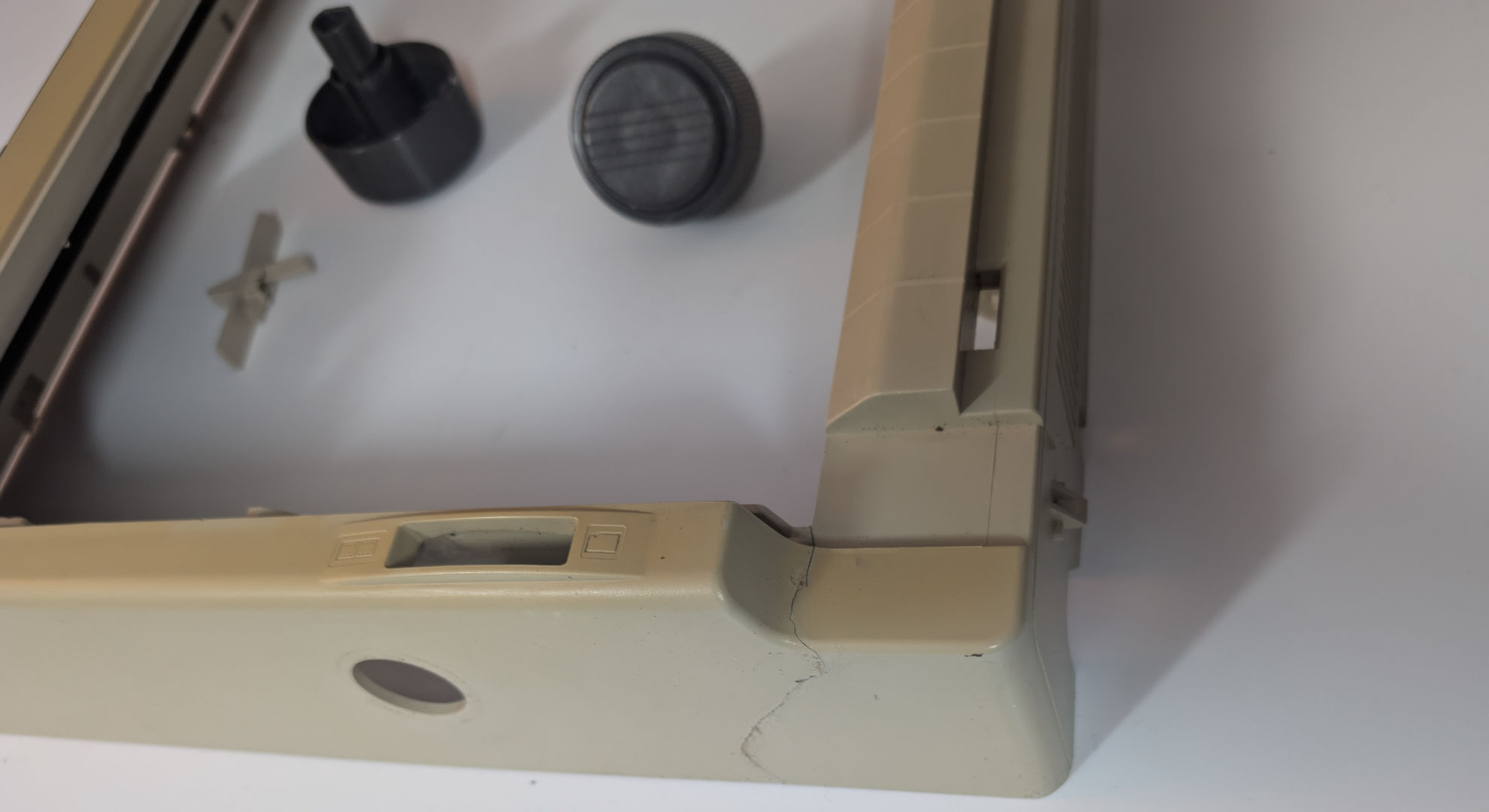
In the category for "most significant trauma," has to go to the upper plastics on this printer. The frame plastic is not thin at all. Seeing how the people ship packages in my neighborhood, this damage probably happened right at my doorstep as the courier spikes it to the ground from 6 feet in the air. Takes a phone picture of the box and pisses off.
We had to do two passes of Gorilla Glue on this. One for the inside and once it's all sealed again, for the outside plastic to try and smooth it a little.
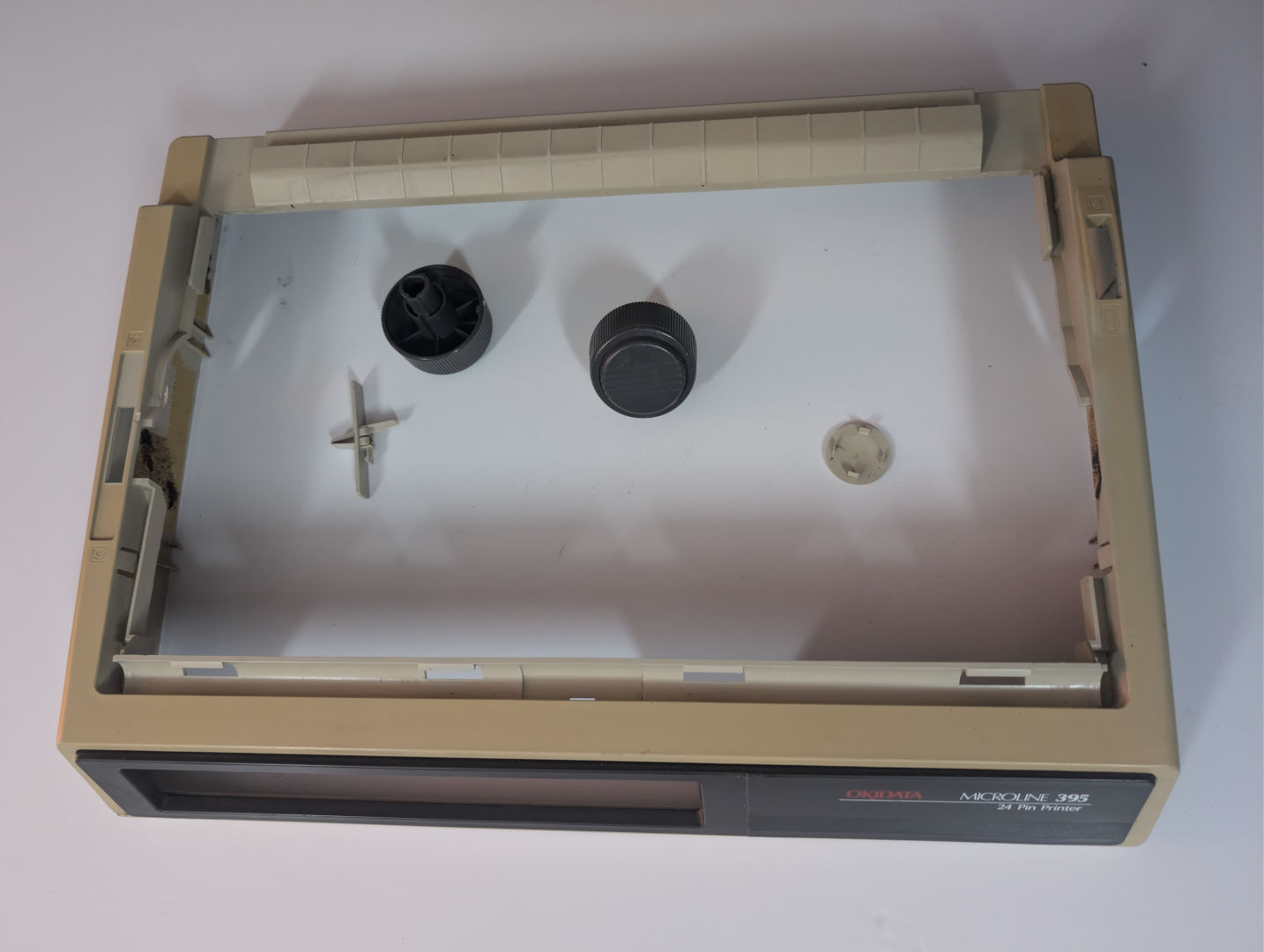
As for the extras.. The tractor selection switch does nothing in my printer. However, Llama has two extra roller knobs. So we're removing the cover off of the side and putting BOTH of these bad boys on at the same time for that sick double-fisting action!
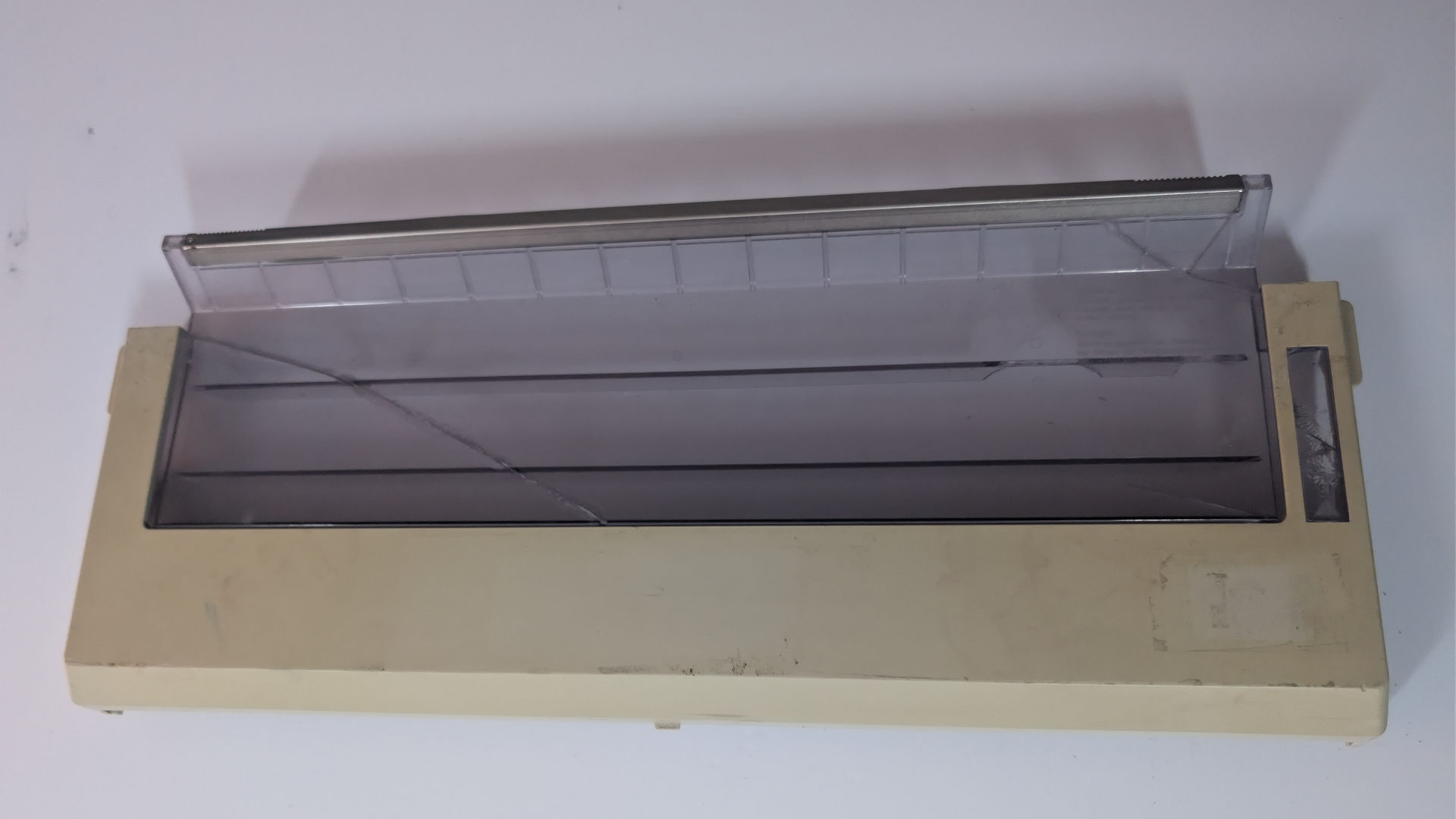
The ribbon door was another part that we had to spend significant time with Gorilla glue putting it all together. But also, the tear-bar exploded off the clear plastic when we got it. And we found out the steel tear bar at the top was held in place using 3M VHB double-sided tape. Which luckily, we had some of that and were able to cut it to size and reapply, allowing the tear-bar to add extra support to all of the broken clear plastics.
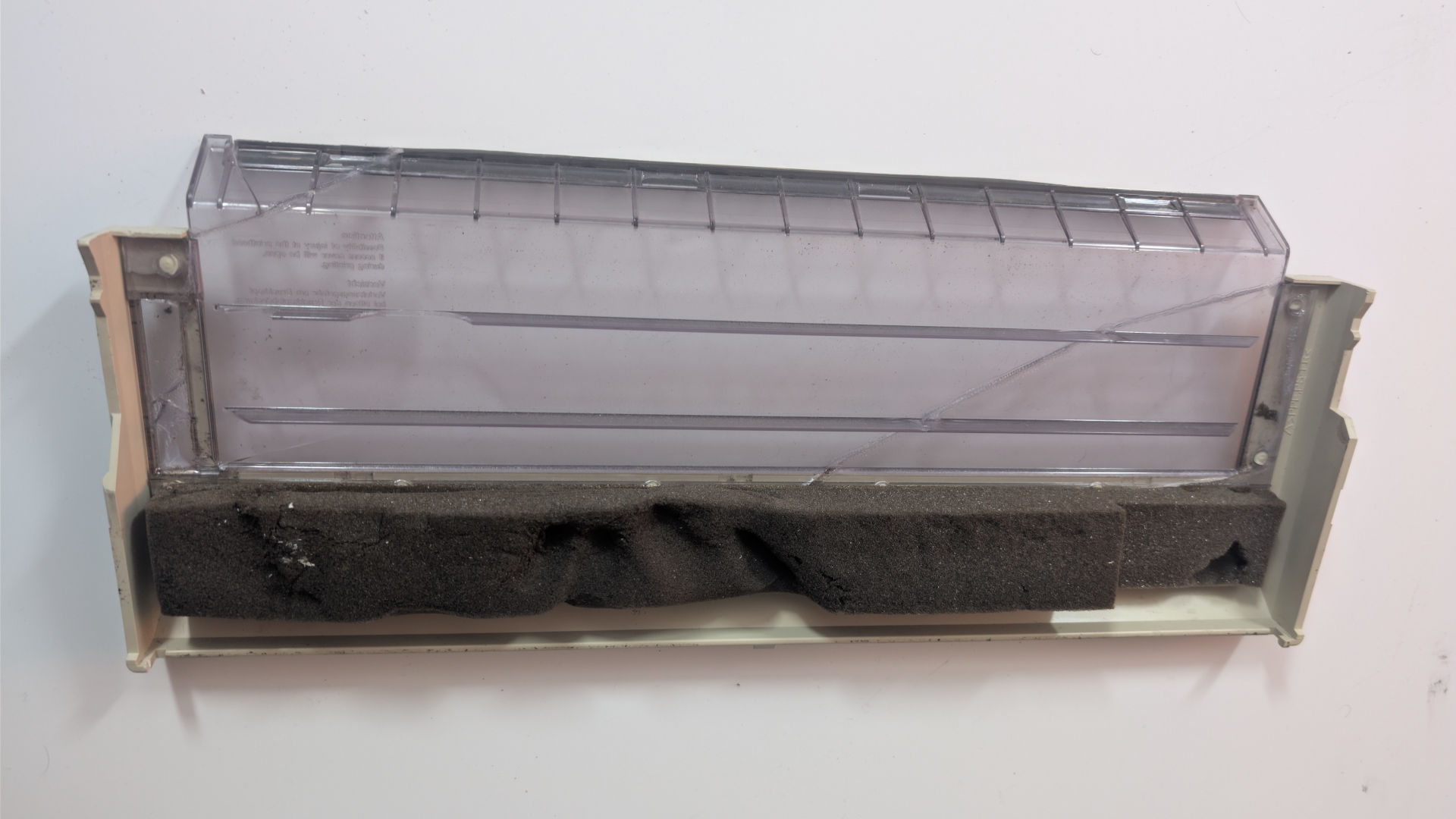
Looking at the underside only confirms my reasoning for disabling the door open sensor, as the plastics for that are totally gone. But also, the underside shows off all of the terrible glue work we had to do. Finally, although not entirely urgent. That 38-year-old foam isn't going to spring back anytime soon. So we're probably going to have to refoam this bad boy later. That to us is a bit of a low-priority repair we can get to later.
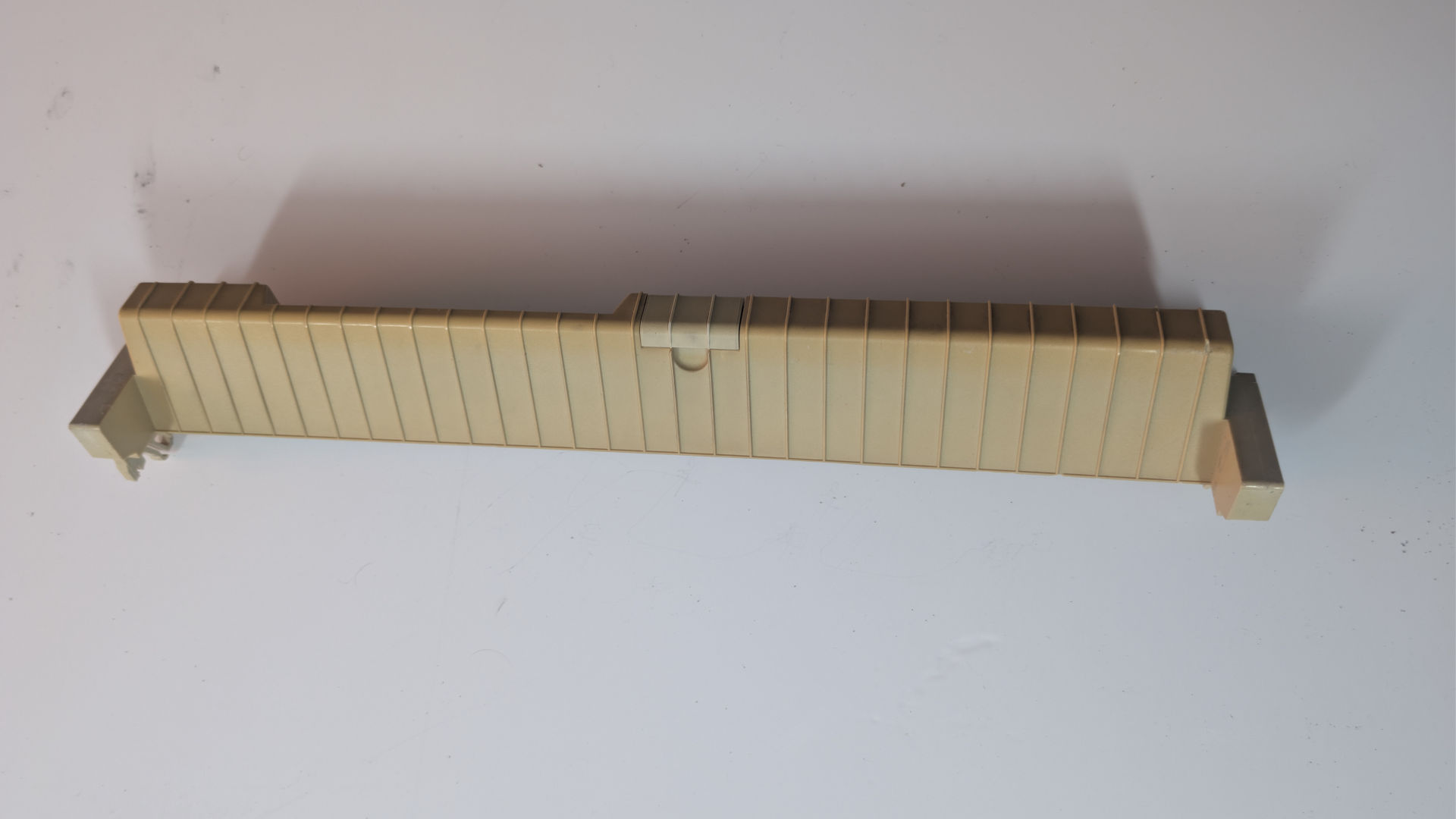
Doesn't look like much in this picture. But the paper guide insert plastics are probably the most irrecoverable part in the box. because the little plastic tabs were pretty much ground to dust! It still fits in the printer. Just hanging by one side. But ultimately, we should order a replacement for this one.
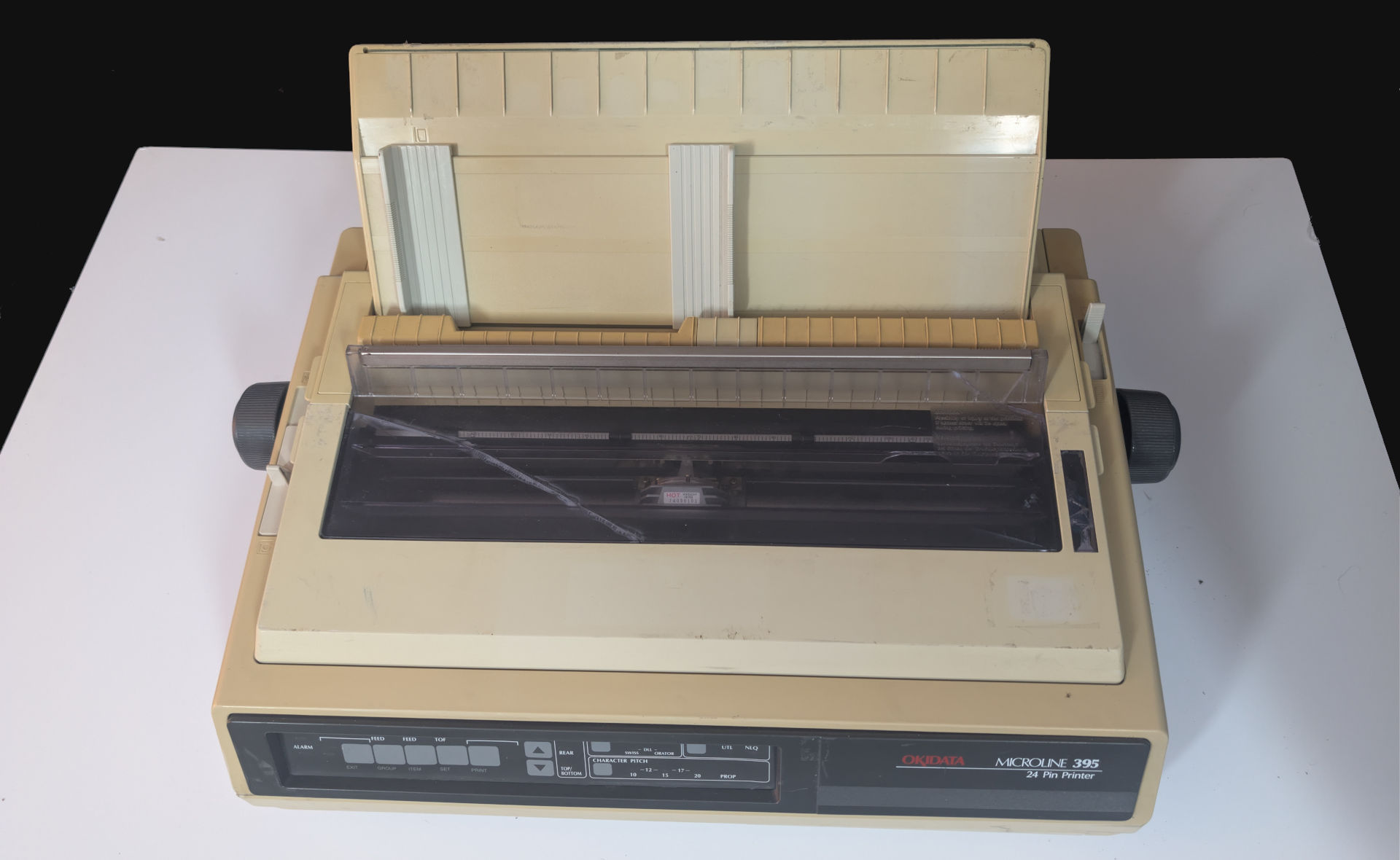
Alright, here's the printer assembled. Still looking fucked up and in desperate need of retrobrighting. But totally not going to retrobright as chances are that would eat away the only thing holding this damn thing together, which is the Gorilla Glue!
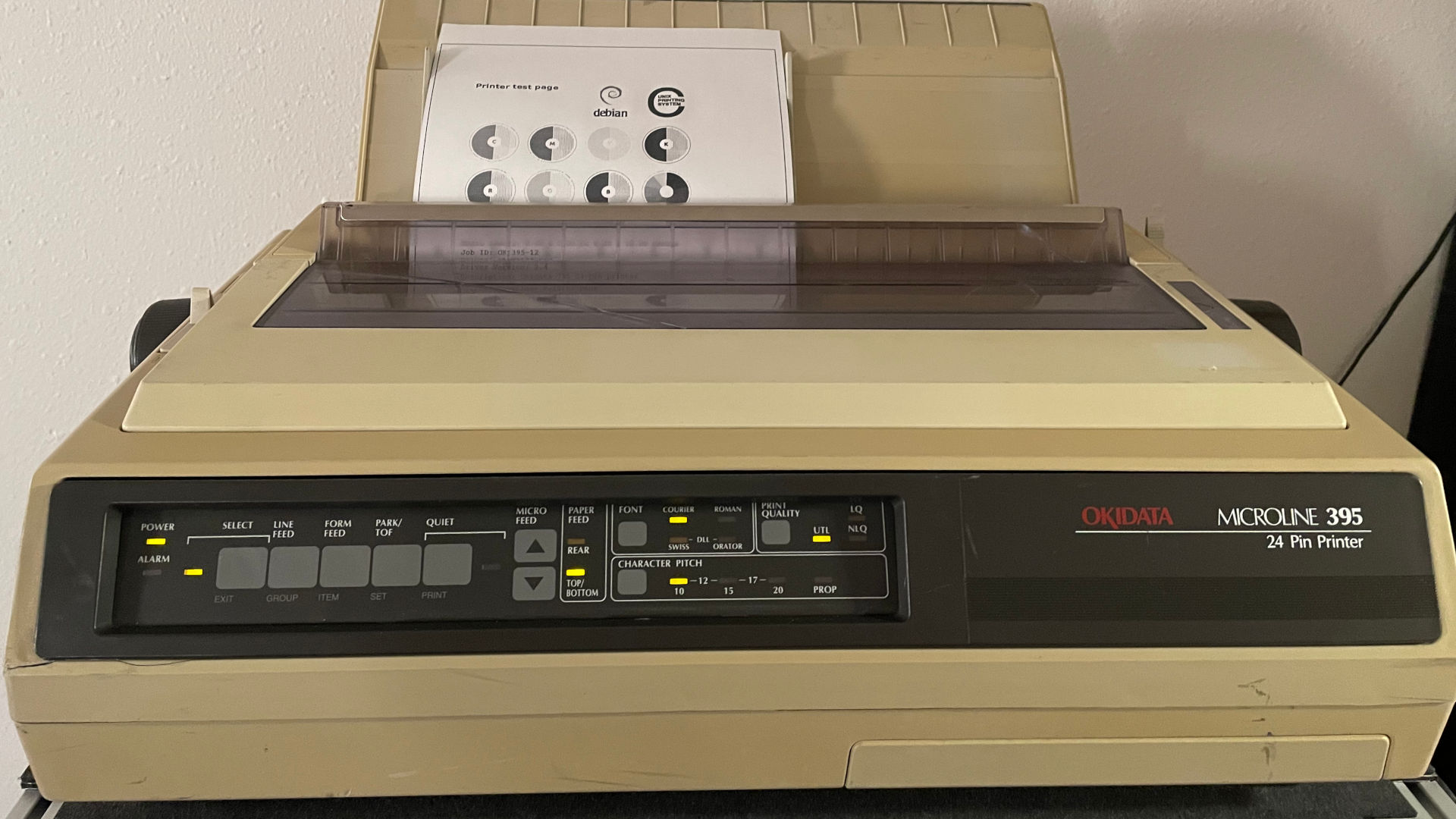
After hooking up our DB9-DB25 null modem adapter to our CUPS server, setting it to TTY1 @ 9600baud 8-bit 1-stop with software XON/OFF control. It prints! Painfully slow for a 180x180 graphic. But it prints! We'll probably get ourselves a Belkin USB <-> Parallel adapter, as that will be nicer to run on my CUPS print server for Linux.
Final thoughts.
Ribbon printers are just cool. Because it uses violence to print. Stabbing that paper through the nylon ribbon like a tattoo artist.
For the price we paid for this printer. We might not have gotten the perfect printer. But we got what we would describe as a true 'service tech' printer. Something that was pieced together but well maintained on the inside. And generally, a service tech printer is designed to test out other parts without worry of destroying them because technically, it already died. Ain't no way in hell we could sell this monstrosity whole as we would morally feel bad doing so. The best we could do is part it out for the electronics if we did sell it. But that's not going to happen to this printer.
At the very minimum, it might assist with printing eBay packing slips. So my thermal printer can focus on shipping labels, and this ribbon printer can focus on listing what they purchased and thanking our buyers in the most retro possible way. Pair this with a Raspberry Pi 3 with integrated wireless, and now you have a portable CUPS print station we can roll all over the house/warehouse/factory, etc.
It's these types of repairs that we consider 'green'. It didn't hit the landfill. This printer probably worked in a business for 10-15 years. idled in a warehouse for another 15-20 years. before getting spiked by USPS and reconditioned by a tech. How many modern printers that are built in 2026 can go through that level of torture? We probably won't know until 2066, in which we would probably wager NONE OF THEM! Modern printing isn't designed to be repairable. Most printing companies today, like HP, are irresponsible engineers who talk about green initiatives out of one side of their ass and then embed planned obsolescence in the other end. Yes, it's a company with two butts. No matter how much it wants to scream. HP just enshitifies everything and everyone. Which is a real shame because HP had some incredible printers we've seen still running in 2026, like the Laserjet 4, Laserjet 4000, and 4100. They probably viewed that as a problem instead of a badge of honor for being so cheap and reliable to run.
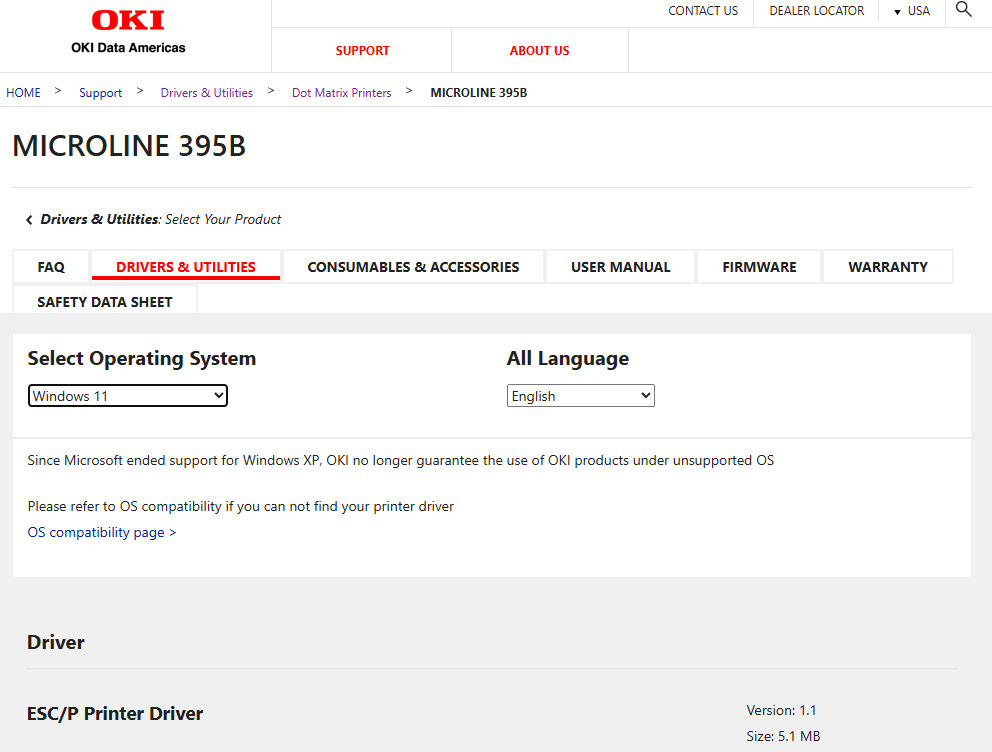
It's respectable that drivers are STILL available for a printer made in 1987 (according to the date we saw on the power supply of our unit). A little bit of a shame the service manual isn't DIRECTLY out there and available to the public. Because the service manual talks about some rather important shit, such as actually lubricating your 395 in multiple points so that it can last longer. Of course, CUPS just uses the okidata24.ppd, which is totally fine.
In the future, expect more blogs about us actually USING this ribbon printer. For business.. Maybe even for emulating a furry from the 90's, printing out your porn of roosters with mono-boobs on one of these bad boys (it's why we're going to make a separate article, so no need to break out the eye-bleach yet.)
We thank you for reaching the end of this blog. Don't die out there.
Server protect you.
+++END OF LINE